Free Windows app · Available now
Download NeonRoof for Windows
Find free and affordable indie PC games, keep your library together, meet other players, and follow the developers building the games you care about, all in one neon-lit platform.
No download PIN. No invitation. No testing program to join. Get the public Windows release, then sign in to NeonRoof after installation to claim games and use your library.
Free platform download
Windows 10 & 11
Microsoft Store updates
No download PIN required
The downloadable file is signed by Microsoft Corporation and opens the Microsoft-managed installation flow. If Microsoft's helper says it must continue in the Store, choose Get or Install there to finish. Individual game prices and availability vary.
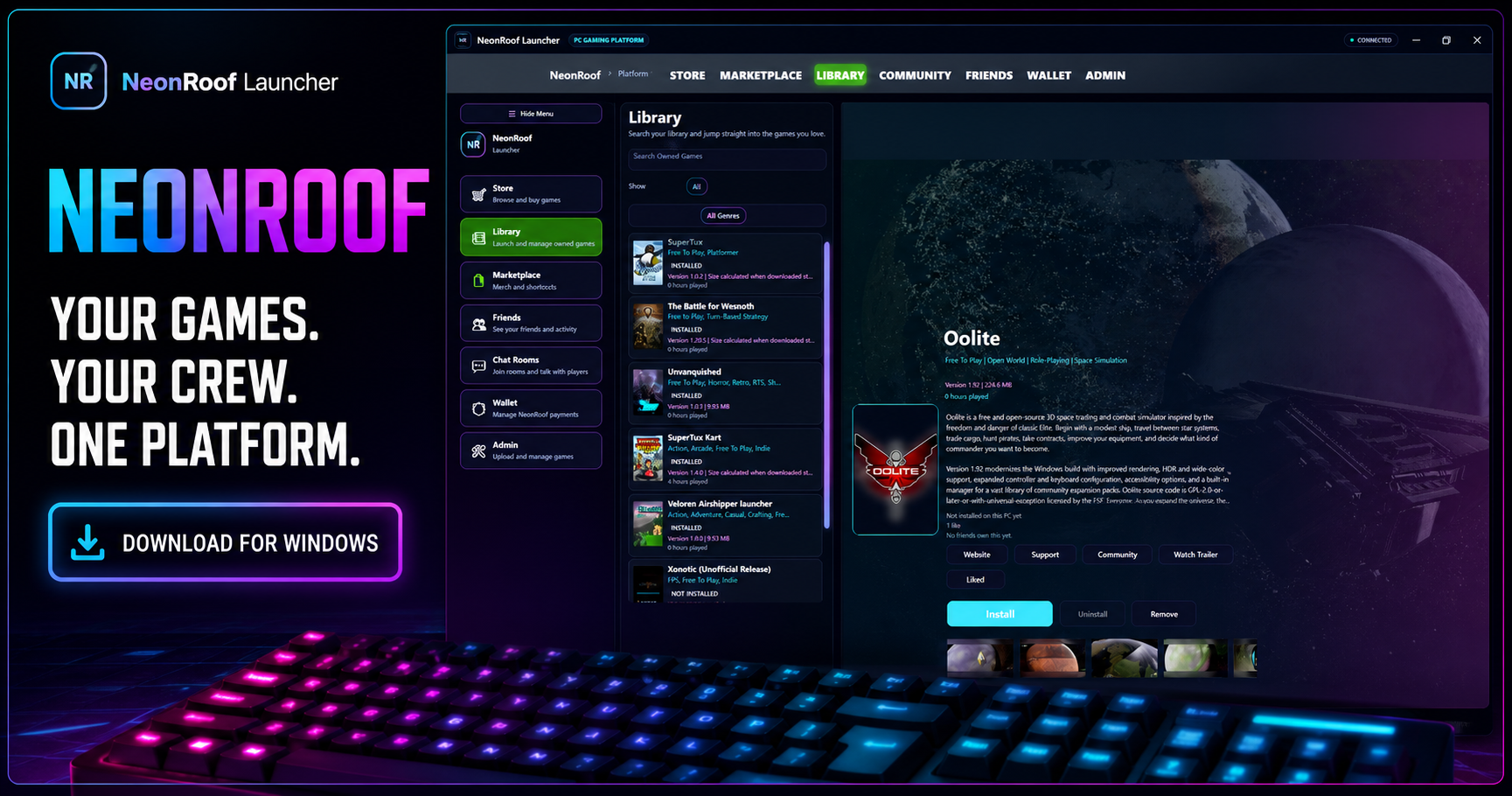
A PC gaming platform with room to grow
Built for players and independent developers
NeonRoof brings game discovery, ownership, installation, community, publishing, and creator commerce together. Players get a more personal place to find games; developers get a direct path to the people playing them.
More games to discover. More ways to connect.
- Browse free-to-play, open-source, and affordably priced indie PC games.
- Claim games and keep owned titles organized in your NeonRoof library.
- Download, install, update, pause, resume, and launch games from Windows.
- Build a player profile and game shelf that shows what you play.
- Use friends, direct messages, community chat rooms, player walls, and game forums.
- See playtime, game activity, community notifications, and friend presence.
A storefront, launcher, community, and publishing toolkit.
- Create a permanent public game page with art, screenshots, trailers, genres, and descriptive content.
- Reach players through the website and the connected Windows platform.
- Publish free or paid games with a 10% NeonRoof platform fee on paid game sales.
- Use your own protected build hosting for free or choose optional NeonRoof-hosted delivery.
- Manage listings, builds, updates, patch notes, pricing, and community links through Game Studio.
- Grow long-term relationships through player profiles, reviews, forums, news, and social features.
Inside the Windows platform
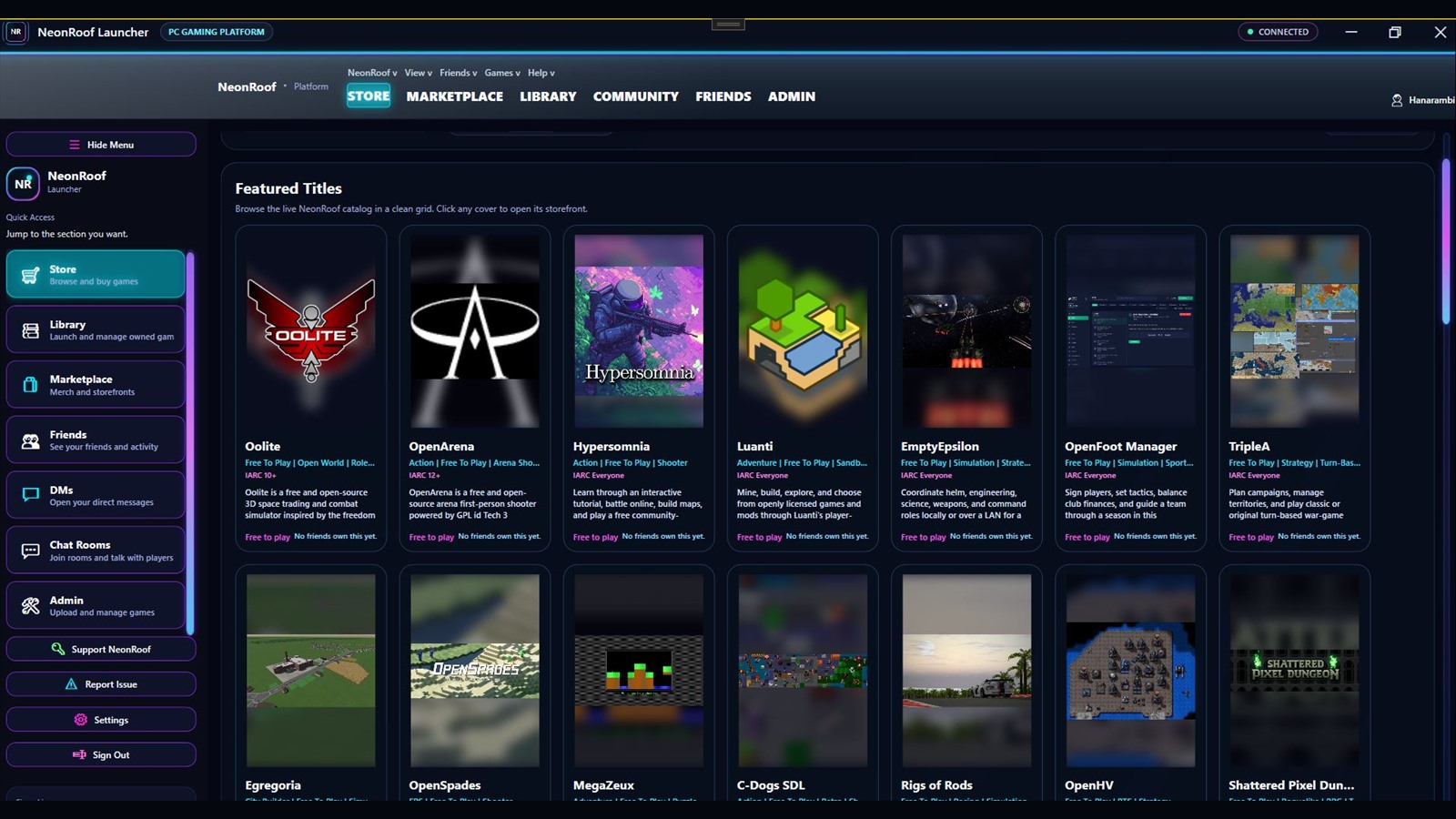
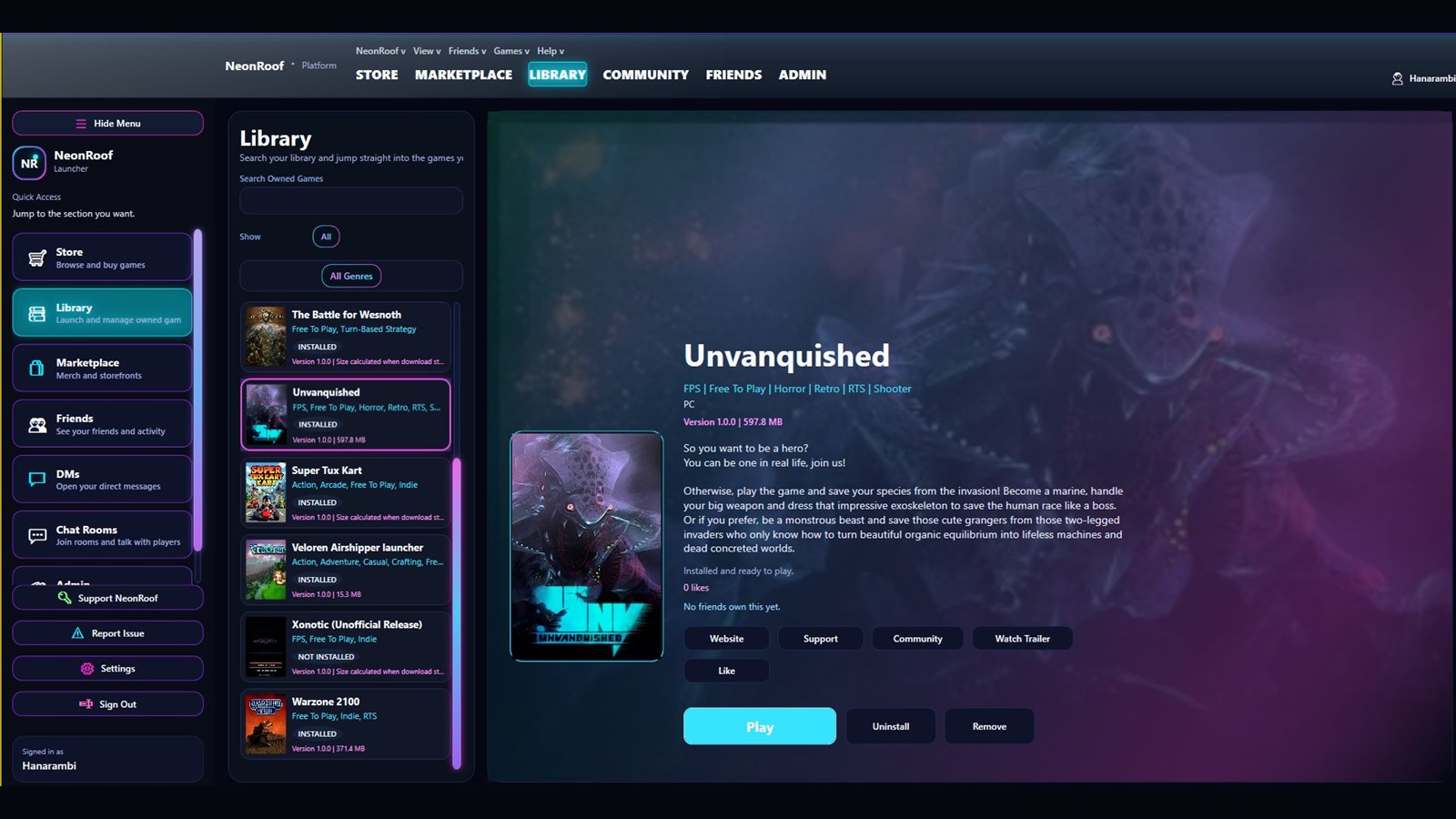
Store, library, friends, chat, marketplace, and creator tools
Move through the parts of PC gaming without leaving your NeonRoof identity behind.
Indie game discovery
Search the catalog by title, genre, tags, platform, price, and availability.
Game library and installs
Manage owned games, downloads, installation progress, updates, and launch options.
Player identity
Carry your profile, game shelf, play activity, friends, and community presence across NeonRoof.
Community chat
Join rooms, send direct messages, share media, mention players, and continue conversations around games.
Creator marketplace
Explore game-related merchandise and creator storefronts alongside the game catalog.
Game Studio
Give approved developers one place to manage storefront content, builds, pricing, art, and updates.
Start playing
Get NeonRoof in three steps
- Download without a PINGet the free Microsoft-signed Store installer from NeonRoof. No NeonRoof account or invitation is needed to download it.
- Install and sign inMicrosoft installs NeonRoof and keeps Store-managed updates available.
- Build your libraryBrowse games, claim a title, install it, and meet the community around it.
Questions before downloading
NeonRoof download FAQ
Is NeonRoof free to download?
Yes. The NeonRoof Windows platform is free to install. The catalog includes free games and may also include paid games, so each game page shows its current price and availability.
Do I need a PIN or invitation to download NeonRoof?
No. The public NeonRoof Windows release does not require a download PIN, invite code, or enrollment in an alpha or beta program. Download the installer directly or get NeonRoof from Microsoft Store.
Is NeonRoof available through Microsoft Store?
Yes. NeonRoof is published through Microsoft Store. The installer offered on this page is signed by Microsoft Corporation and opens the Microsoft-managed Store installation path.
Why did the installer continue in Microsoft Store?
The small Microsoft Store Web Installer checks the Windows device, account age, market, architecture, and app availability. If it cannot complete one of those checks directly, Microsoft intentionally opens the Store app. Choose Get or Install there to finish; you do not need to buy NeonRoof.
Which versions of Windows does NeonRoof support?
NeonRoof is designed for Windows 10 and Windows 11 PCs. Individual games may have their own hardware and operating-system requirements.
Do I need a NeonRoof account to download the Windows app?
No NeonRoof account is needed to download the installer. After installation, sign in or create a NeonRoof account to claim games, use your library, and participate in community features. Microsoft Store may ask you to use your Microsoft account during installation.
Can indie developers publish games on NeonRoof?
Yes. Developers can create an account, request publishing approval, and use Game Studio to prepare public game pages, builds, pricing, media, and support links.
How does NeonRoof update?
Microsoft Store manages updates for Store-installed copies of NeonRoof. When a required launcher update is released, NeonRoof can also clearly direct players into the Microsoft update flow.
Your games. Your crew. One platform.
Join NeonRoof and help an indie gaming platform grow.
Download the Windows app, find something new to play, and invite your crew.