
7-Zip
Open, create, encrypt, and manage compressed archives with Igor Pavlov's free, open-source file archiver.

About 7-Zip
7-Zip is a free, open-source file archiver created by Igor Pavlov. It is best known for the 7z format and its strong compression, while also supporting familiar formats such as ZIP, TAR, GZIP, BZIP2, and many others for packing or extraction.
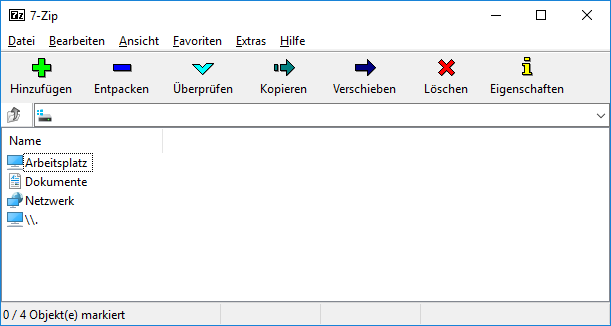
The Windows application includes a file manager, command-line tools, AES-256 encryption for 7z and ZIP archives, self-extracting archive support, and shell integration. It is useful for everyday file sharing, software packaging, backups, and inspecting downloaded archives.
NeonRoof lists the upstream project independently and keeps the official website, source, licensing, and release-review status visible. No 7-Zip binary is mirrored by this catalog seed.
Independent catalog listing. NeonRoof is not affiliated with or endorsed by Igor Pavlov or the project's maintainers. The official project, creator, copyright holder, and license remain clearly credited. This catalog page may be published before a downloadable package is approved; no NeonRoof download is enabled until an administrator verifies the exact package, SHA-256 hash, malware scan, distribution rights, and applicable notices.
Rights review recorded September 8, 2026. Copyright: Igor Pavlov and contributors. Redistribution: Preserve the applicable LGPL and BSD notices and observe the separate unRAR restriction included with the distribution. Attribution: Credit 7-Zip and Igor Pavlov and provide the applicable license notices. Source obligations: Provide the corresponding source and license materials required by the LGPL for any distributed covered binaries. Branding: No project artwork is used. The neutral NeonRoof cover identifies an independent catalog listing and does not imply endorsement.
What it does
- Create and extract 7z and ZIP archives
- Open many common archive formats
- AES-256 encryption for 7z and ZIP
- Windows shell integration
- Graphical file manager and command-line tools
- Self-extracting 7z archives
Version 26.01
Current stable release listed by the official 7-Zip download page.
- Released
- April 27, 2026
- Package
- EXE
- Signature
- Not checked
- Security scan
- Pending
Be the first to review
Questions and comments
Sign in to join the discussion.