Software / Graphics & Design

FigCraft

Interface design and prototyping with frames, components, layout tools and developer handoff. Early alpha.
FreeWindows, macOS, Linuxx64 (linked Windows installer); other builds on official project pageOpen source
Screenshots
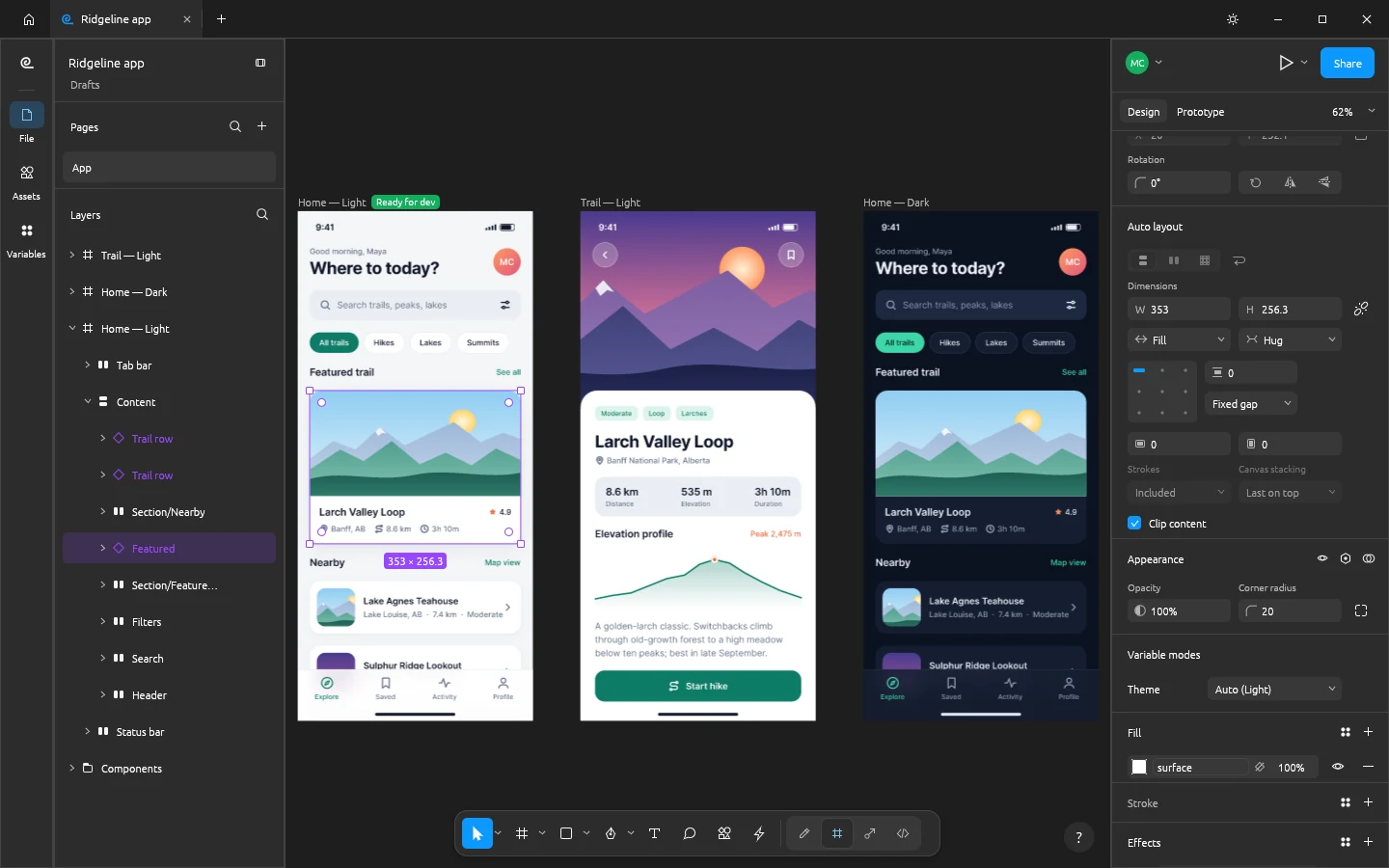
FigCraft editing the Ridgeline hiking app: three phone screens on the canvas, the Featured trail card instance selected, the layers panel showing its auto layout tree, and the Design panel showing Fill and Hug sizing and the Theme variable mode
FigCraft editing the Ridgeline hiking app: three phone screens on the canvas, the Featured trail card instance selected, the layers panel showing its auto layout tree, and the Design panel showing Fill and Hug sizing and the Theme variable mode - official ArtCraft screenshot.ArtCraft official project website
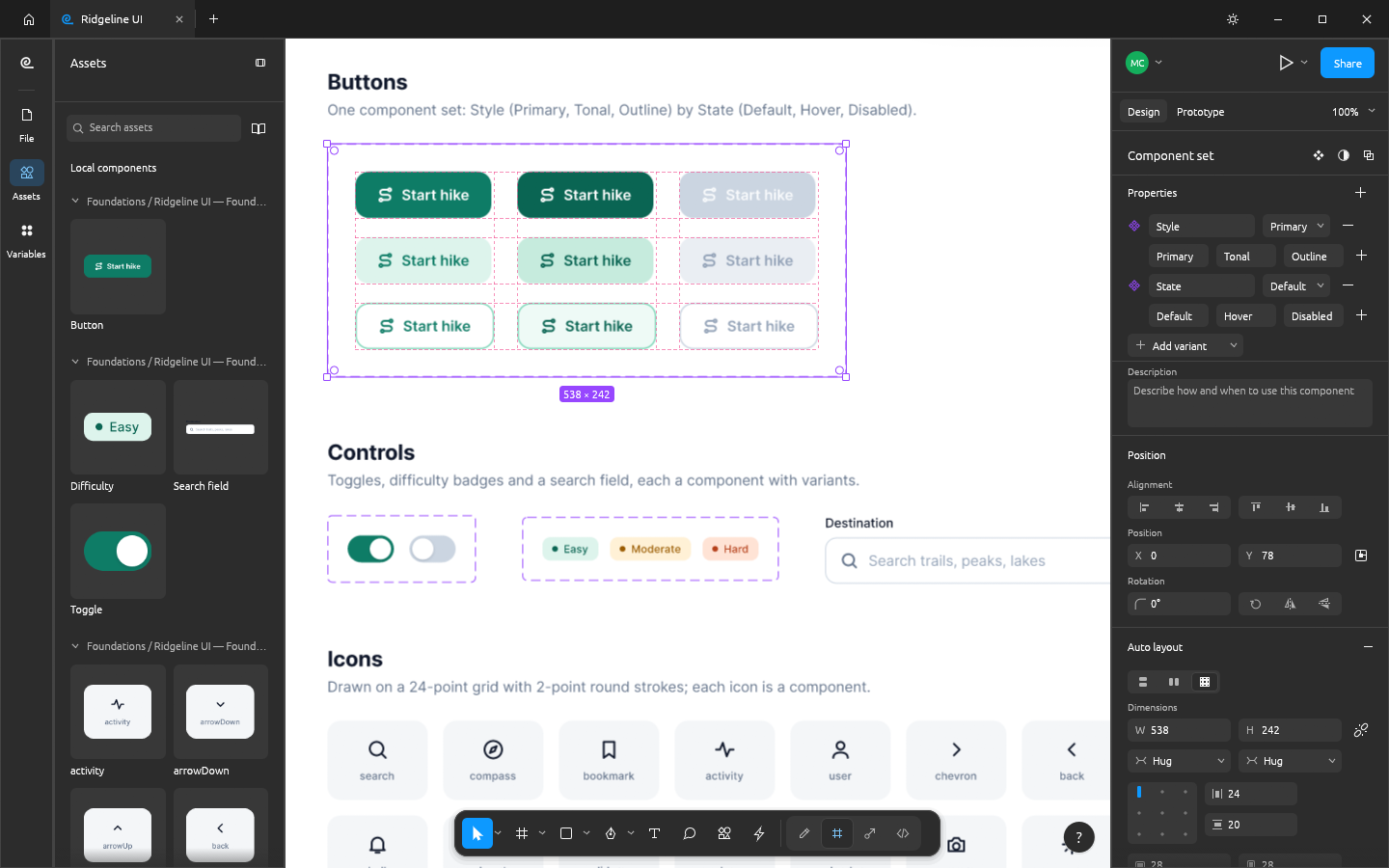
FigCraft's Assets panel with live component thumbnails beside a Button component set of nine variants, and the Design panel listing its Style and State variant properties
FigCraft's Assets panel with live component thumbnails beside a Button component set of nine variants, and the Design panel listing its Style and State variant properties - official ArtCraft screenshot.ArtCraft official project website
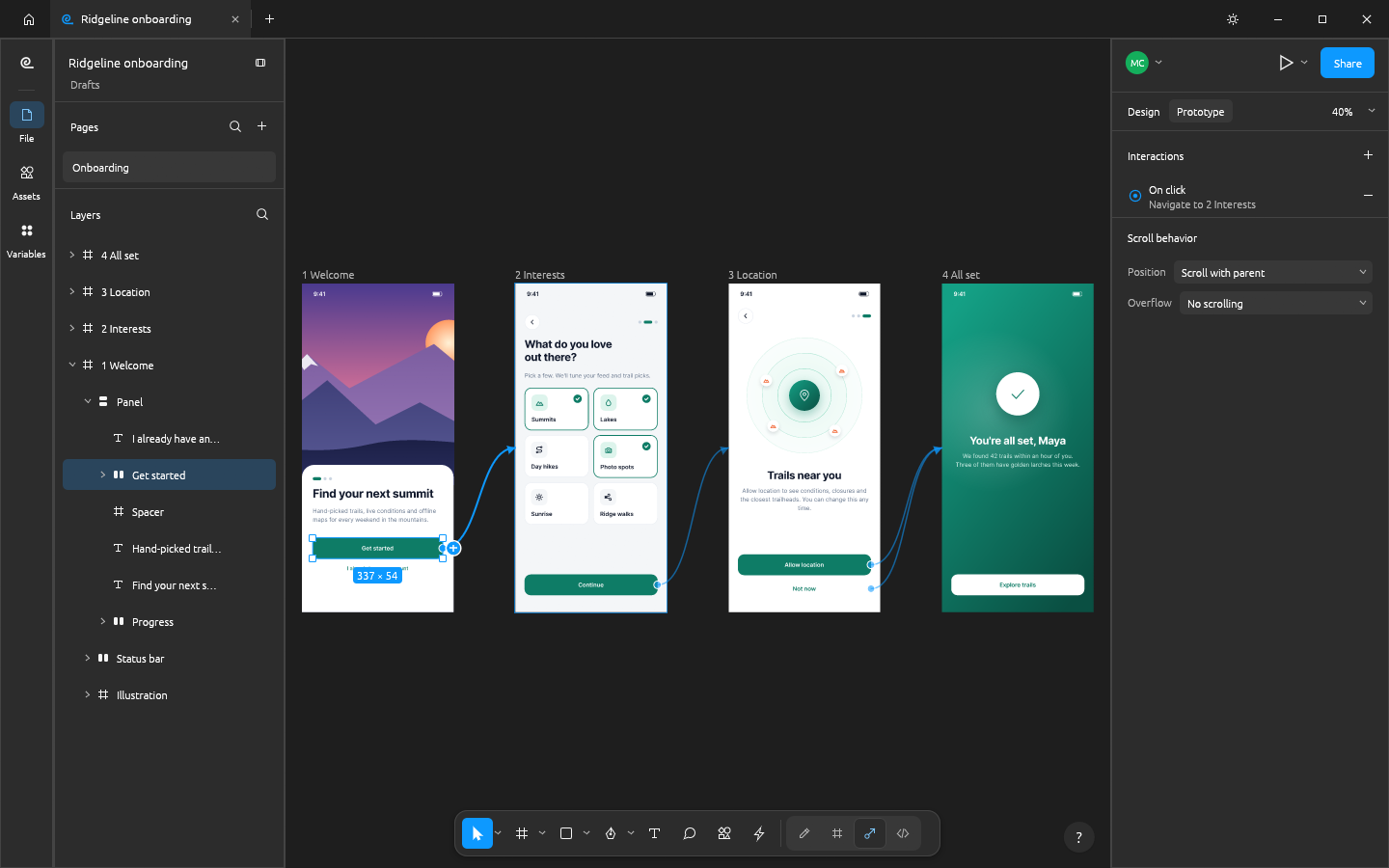
Four onboarding phone screens in FigCraft's Prototype tab joined by connection curves, with the Prototype panel showing an On click, Navigate to interaction
Four onboarding phone screens in FigCraft's Prototype tab joined by connection curves, with the Prototype panel showing an On click, Navigate to interaction - official ArtCraft screenshot.ArtCraft official project website
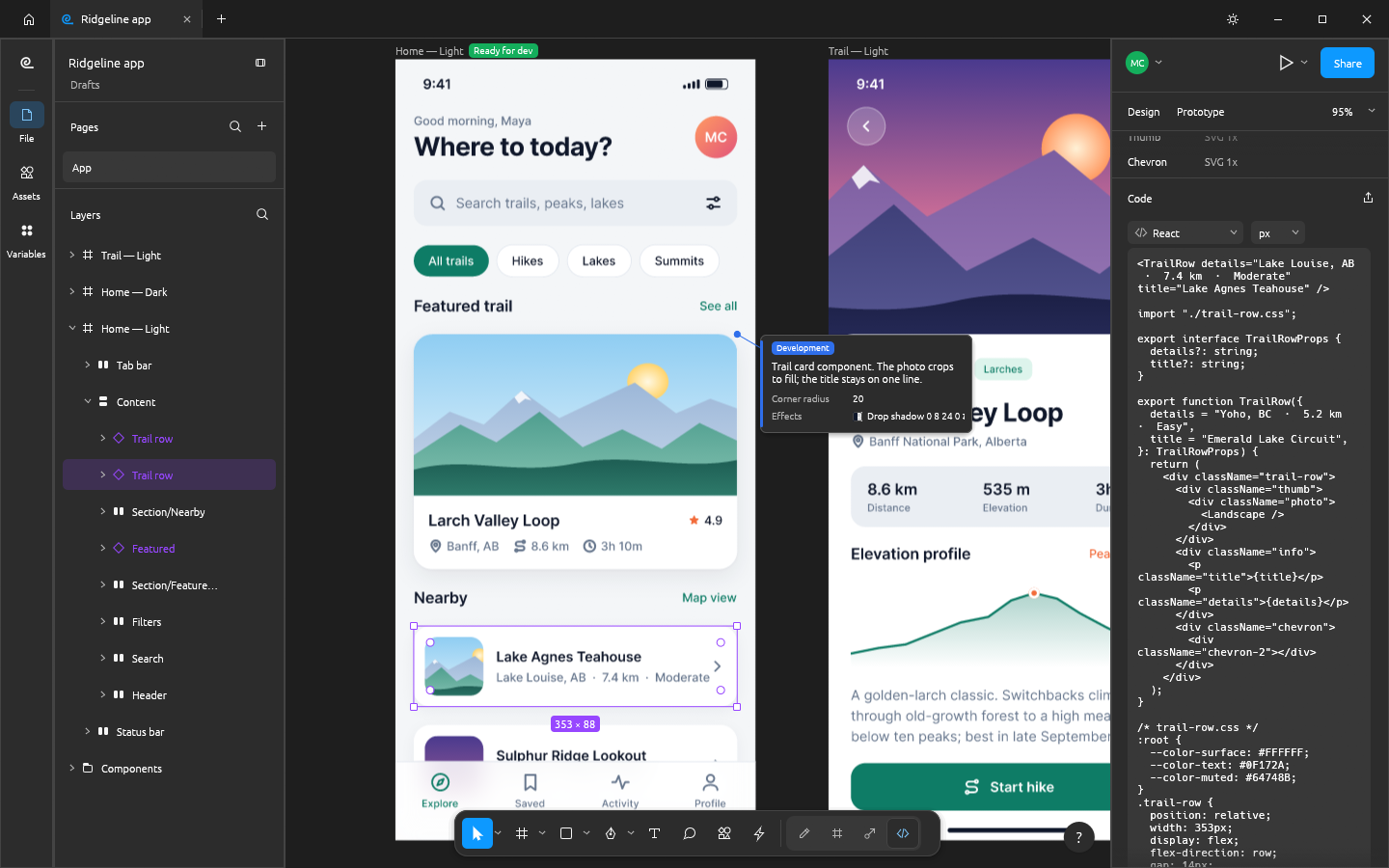
FigCraft's Dev Mode on the Ridgeline home screen with a Ready for dev badge, an annotation callout, and the Inspect panel showing generated React code for the selected trail row
FigCraft's Dev Mode on the Ridgeline home screen with a Ready for dev badge, an annotation callout, and the Inspect panel showing generated React code for the selected trail row - official ArtCraft screenshot.ArtCraft official project website
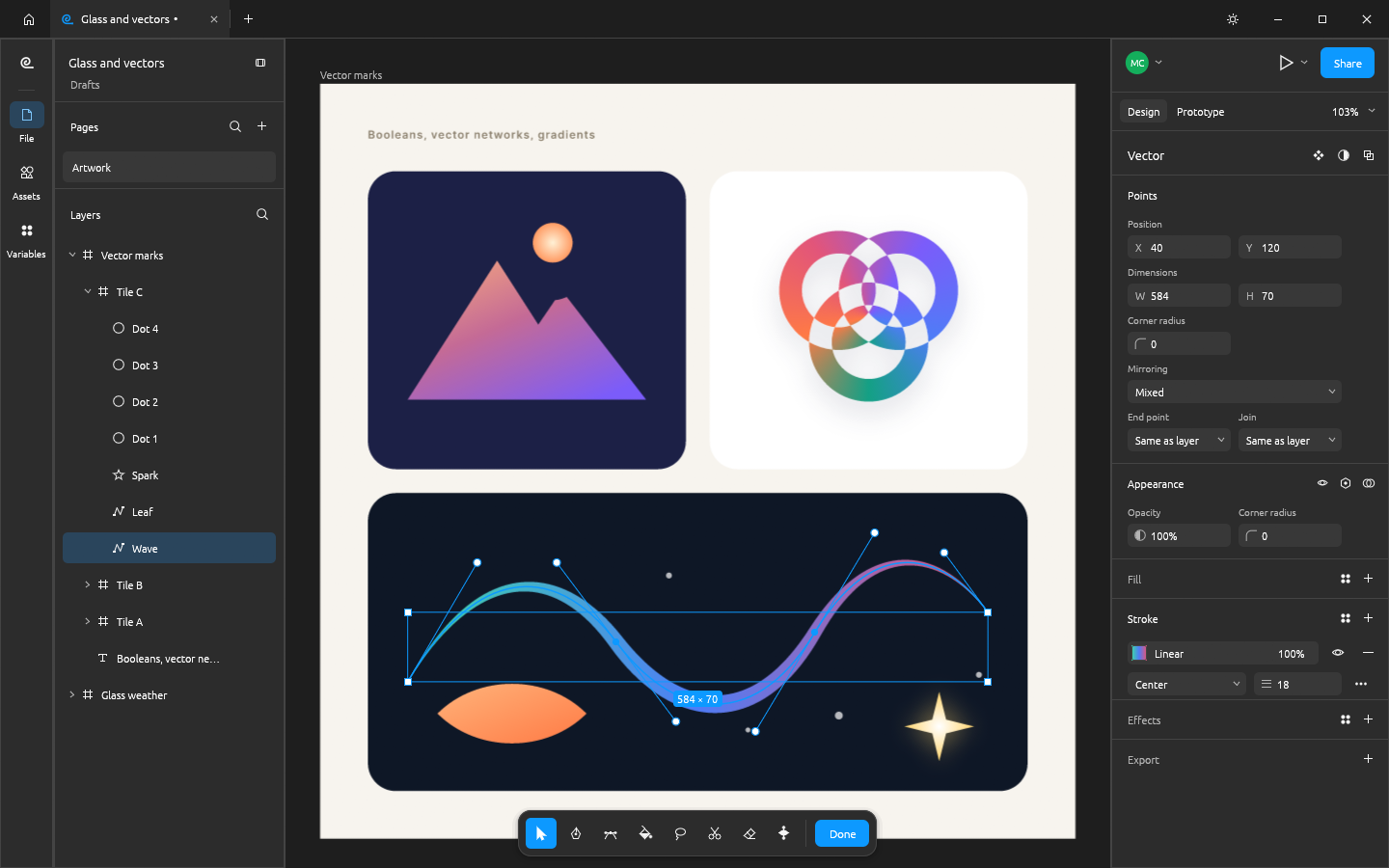
FigCraft's vector edit mode on a wave path with a tapered gradient stroke, its anchor points and bezier handles visible, above a boolean-built mountain mark and a knot of excluded rings
FigCraft's vector edit mode on a wave path with a tapered gradient stroke, its anchor points and bezier handles visible, above a boolean-built mountain mark and a knot of excluded rings - official ArtCraft screenshot.ArtCraft official project website
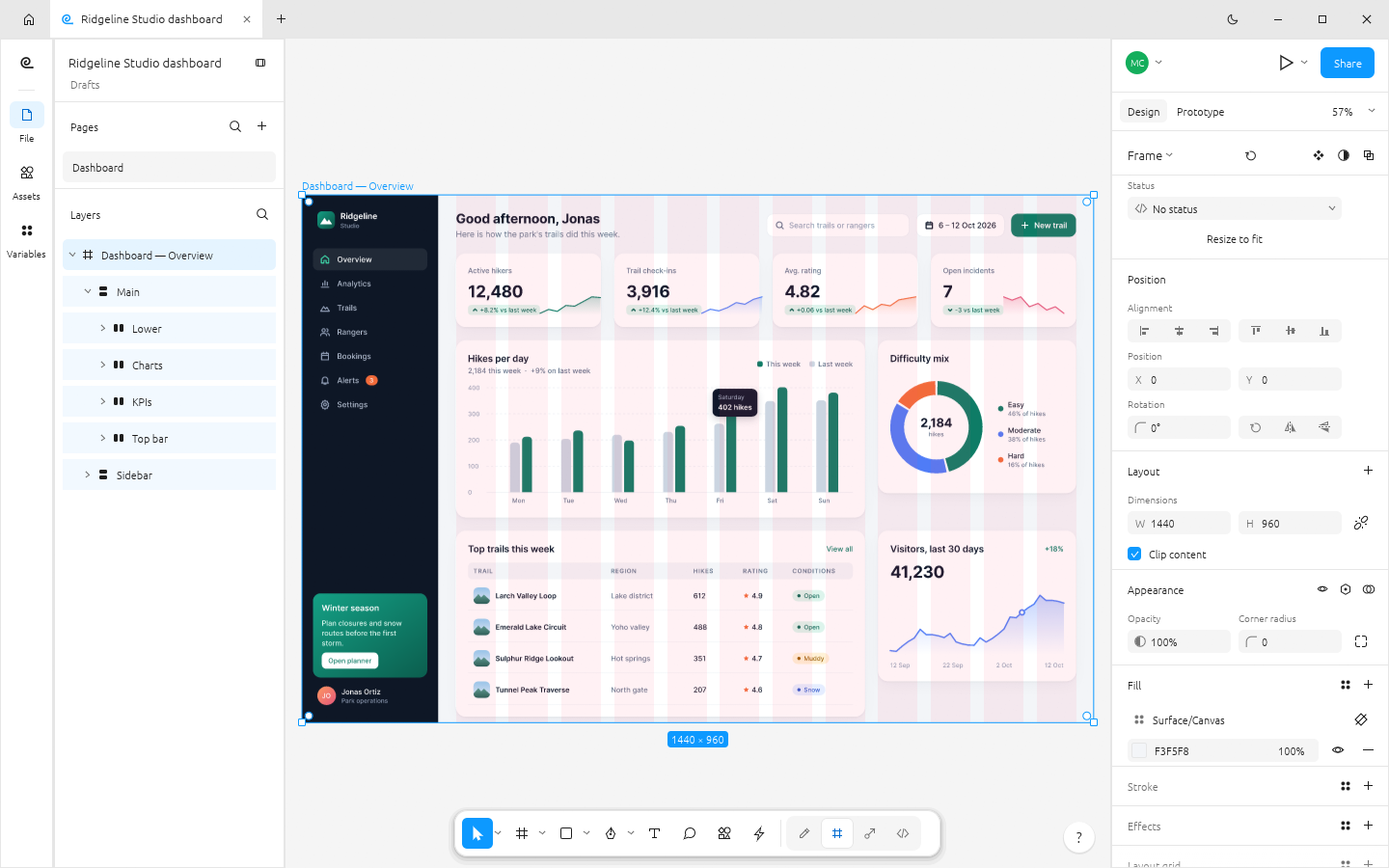
FigCraft in its light theme with a web analytics dashboard of KPI cards, bar, donut and area charts, and the frame's 12-column layout grid showing as tinted columns
FigCraft in its light theme with a web analytics dashboard of KPI cards, bar, donut and area charts, and the frame's 12-column layout grid showing as tinted columns - official ArtCraft screenshot.ArtCraft official project website
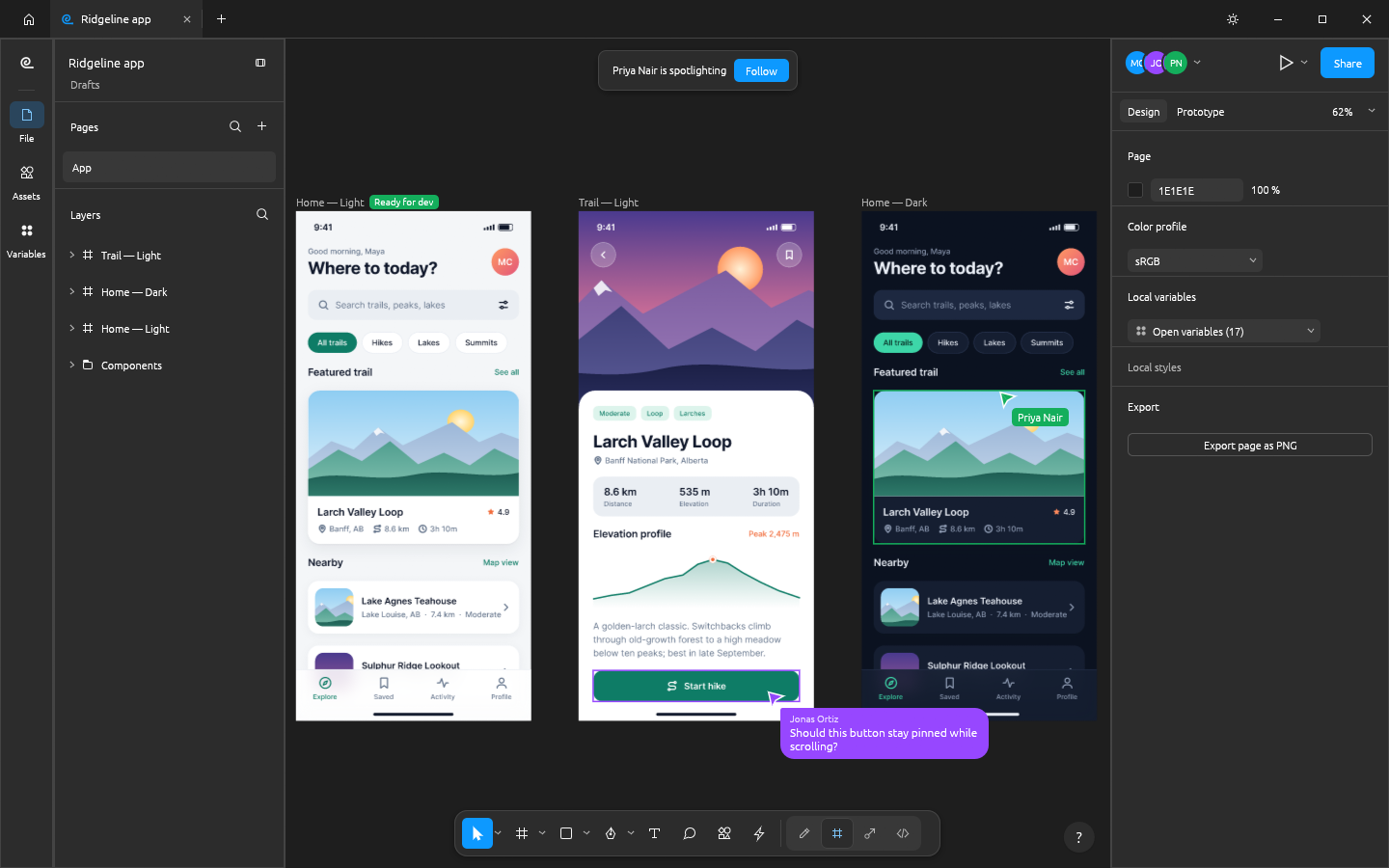
A FigCraft live session with three participant avatars, a spotlight banner with a Follow button, two collaborators' cursors and selections on the canvas, and a cursor chat bubble
A FigCraft live session with three participant avatars, a spotlight banner with a Follow button, two collaborators' cursors and selections on the canvas, and a cursor chat bubble - official ArtCraft screenshot.ArtCraft official project website
About

About FigCraft

FigCraft is ArtCraft's free interface-design application. The project documents auto layout, reusable components, variants and interactive prototypes. Explore it for screen mockups or a small interface system; verify handoff output and file exchange before adopting it for a team.

Early alpha. Source, official Windows installer metadata and artwork checked October 22, 2026. This is an independent catalog listing, not a hands-on compatibility review or a NeonRoof malware certification. NeonRoof links to the original GitHub installer; it does not mirror or modify this package. ArtCraft and its contributors retain the project identity and applicable rights.

ArtCraft source is published under Apache 2.0; retain applicable copyright, license and NOTICE material when redistributing. Review bundled component licenses for binary redistribution. Other platforms and current project support are linked on the official website.

Features

What it does

  • Frames and auto layout
  • Components and variants
  • Interactive prototypes
  • Developer handoff
Current release

Version 0.7.0

Early alpha. Official Windows x64 MSI linked directly to ArtCraft GitHub release. Metadata checked October 22, 2026. Upstream SHA-256: 897e1a2cec07e3cd6ffb024cccc7da4d3a2366c667f69ba539981b6f59051a6f. Other builds: https://getartcraft.com/apps/figcraft. Installer execution, independent hash validation and malware certification have not been performed.

Released
October 18, 2026
Package
MSI
Signature
Not checked
Security scan
Pending
Customer reviews

Be the first to review

Community

Questions and comments

Sign in to join the discussion.