
WinSCP
Transfer and synchronize files securely on Windows with SFTP, FTP, WebDAV, S3, SCP, scripting, and file management.
About WinSCP
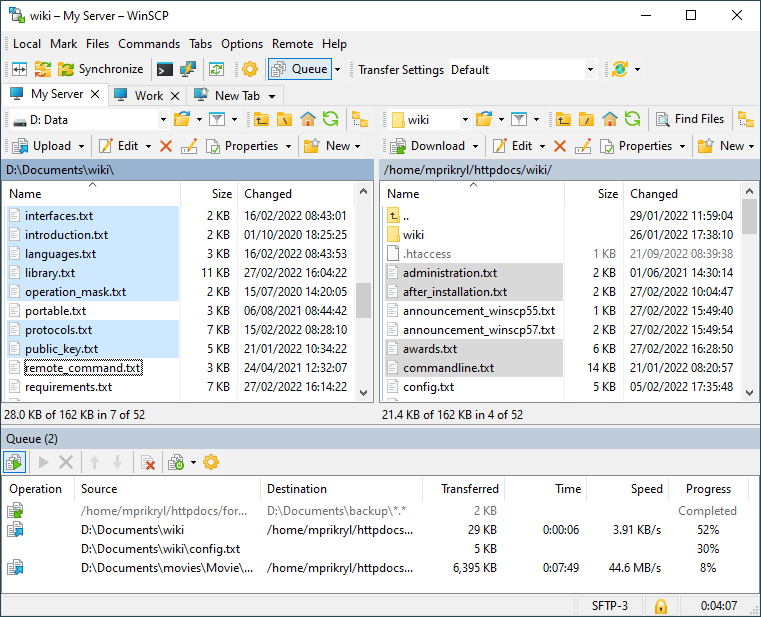
WinSCP is a free, open-source file-transfer client for Windows created by Martin Přikryl. Its graphical file manager connects local files to remote systems through SFTP, FTP, FTPS, WebDAV, S3, and SCP.
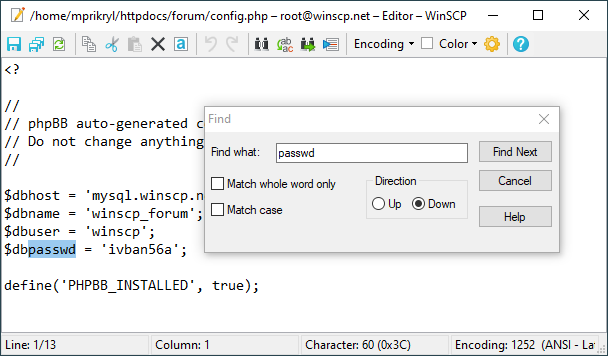
Users can synchronize directories, edit remote files, save sessions, work through two common file-manager layouts, and automate repeatable transfers with scripts or the WinSCP .NET assembly. Extensive official documentation covers both interactive and automated workflows.
The application code is GPL-licensed, but the icon set and WinSCP trademarks have separate restrictions. NeonRoof therefore uses neutral artwork and will not mirror a package without reviewing the installer license, checksum, and branding boundaries.
Independent catalog listing. NeonRoof is not affiliated with or endorsed by Martin Přikryl or the project's maintainers. The official project, creator, copyright holder, and license remain clearly credited. This catalog page may be published before a downloadable package is approved; no NeonRoof download is enabled until an administrator verifies the exact package, SHA-256 hash, malware scan, distribution rights, and applicable notices.
Rights review recorded September 8, 2026. Copyright: Martin Přikryl and contributors. Redistribution: Apply GPLv3-or-later to the application and separately review the installer license. Do not reuse the icon set or trademarks without permission. Attribution: Credit WinSCP and Martin Přikryl and retain the applicable license and component notices. Source obligations: Provide corresponding source for the GPL-covered application binary. Branding: WinSCP logos, trademarks, and icon set require separate consent. None are used in the neutral NeonRoof cover.
What it does
- SFTP
- FTP
- FTPS
- WebDAV
- S3
- and SCP transfers
- Graphical remote file manager
- Directory synchronization
- Remote file editing
- Scripting and command-line automation
- WinSCP .NET assembly
Version 6.5.6
WinSCP 6.5.6 is the current stable release. The official project publishes installer checksums and release history.
- Released
- March 25, 2026
- Package
- EXE
- Signature
- Not checked
- Security scan
- Pending
Be the first to review
Questions and comments
Sign in to join the discussion.