neoforge
Download file ↗Minecraft Java Edition · 1.21.1
Farmer's Delight 1.3.4 - 1.21.11.21.1-1.3.4 · 3.01 MB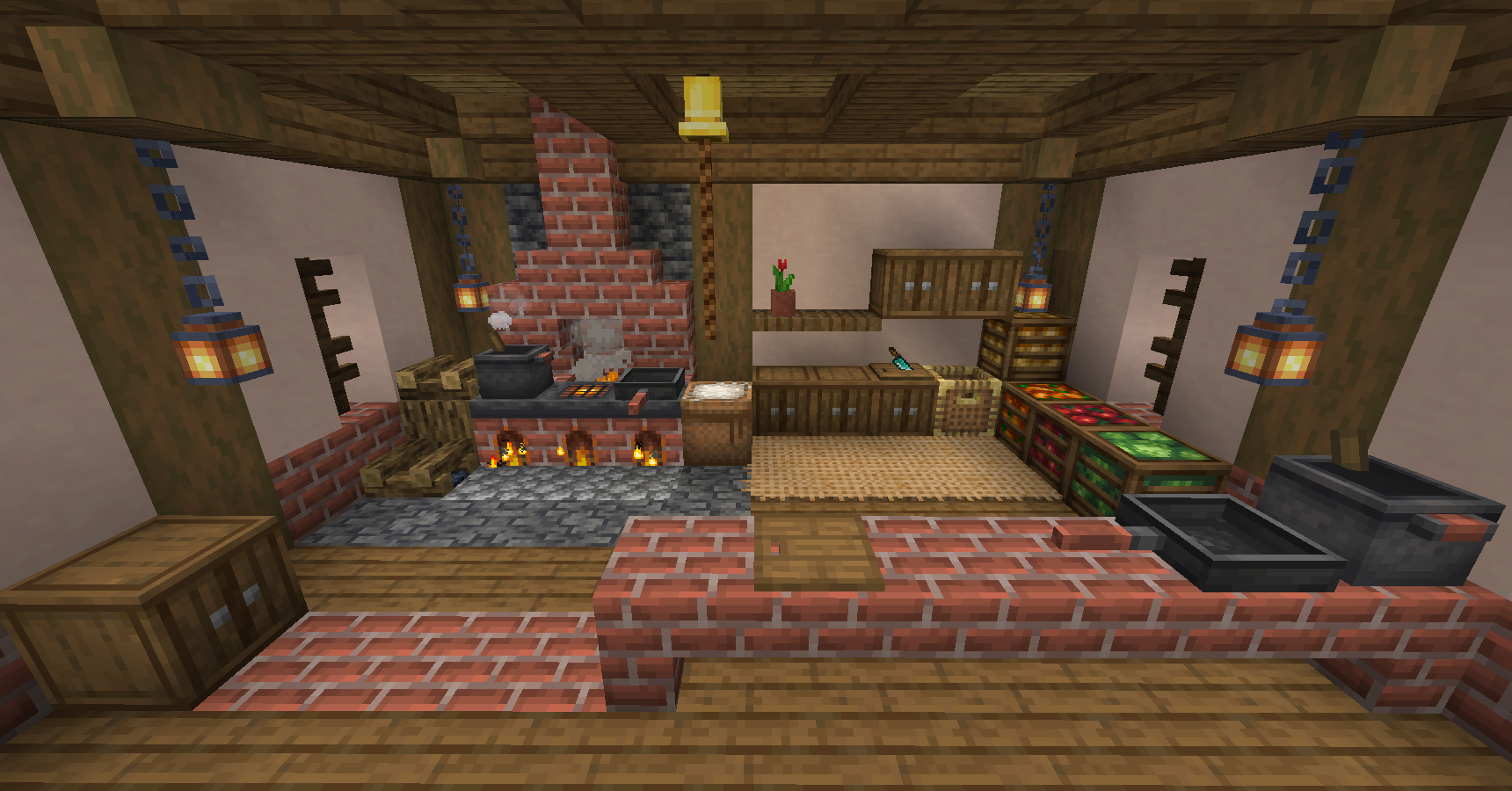
Expand Minecraft farming, cooking, and cozy building with new food and kitchen tools.
Created by vectorwing
Free modDownloads open the creator's release file directly. Check the requirements below before installing.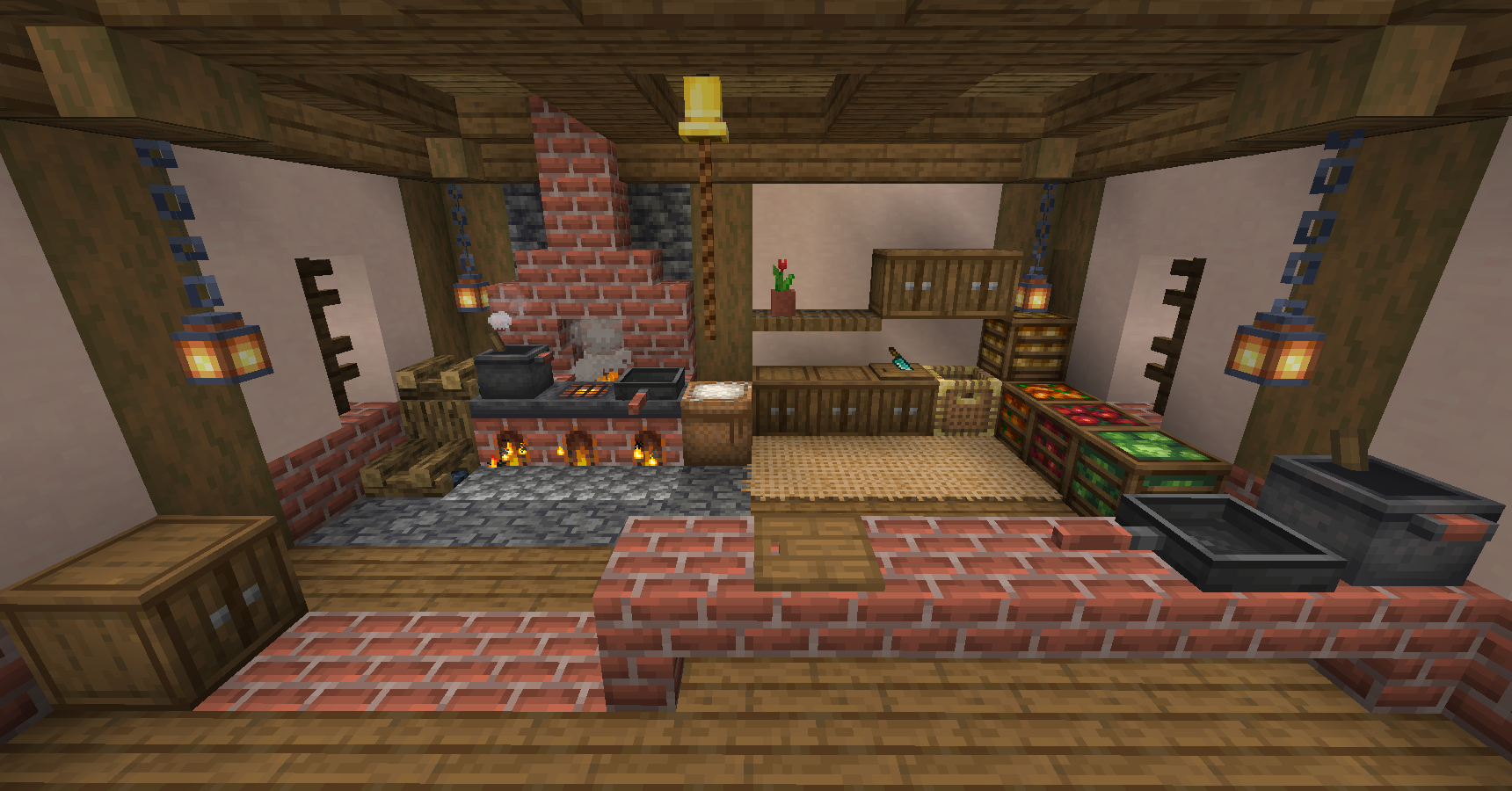
Select a thumbnail, use the arrows, or swipe to browse.
Choose one file that matches your game version and loader. These files come directly from the creator's official release host.
Minecraft Java Edition · 1.21.1
Farmer's Delight 1.3.4 - 1.21.11.21.1-1.3.4 · 3.01 MBMinecraft Java Edition · 1.20, 1.20.1
Farmer's Delight 1.3.4 - 1.20.11.20.1-1.3.4 · 3.16 MBMinecraft Java Edition · 1.20.1
Farmer's Delight 1.2.7 - 1.20.11.20.1-1.2.7 · 2.82 MBFarmer's Delight adds a cooking system, crops, meals, kitchen equipment, and related utility blocks to Minecraft. Its in-game advancements help introduce the tools and farming systems, making it a natural fit for players building a working kitchen or homestead.
The project gallery shows kitchenware, crops, feasts, and decorative uses. This listing uses vectorwing's official Forge and NeoForge project. Separate Fabric ports and add-ons are not included in these files.
25,265,609 downloads recorded by Modrinth on October 15, 2026. Downloads include updates and are not unique players.
Minecraft Java Edition with Forge or NeoForge as labeled on each file. Install the matching mod on both client and server for multiplayer. Fabric ports are separate projects, not interchangeable releases of this listing. Required dependencies declared for the files below: neoforge / 1.21.1: no additional required mods declared in the release metadata. forge, neoforge / 1.20, 1.20.1: no additional required mods declared in the release metadata. forge / 1.20.1: no additional required mods declared in the release metadata.
Use a separate Minecraft launcher profile and back up your saves. Install the loader that matches your chosen file, then install its required dependency mods for the same Minecraft version. Place the downloaded JAR in that profile's mods folder without extracting it, then launch through the modded profile. Choose one compatible build of this mod; do not install all the alternative files together. These are desktop Java Edition mods, not Android/iOS or Minecraft Bedrock add-ons.
Read the creator's installation guide ↗Use the current compatibility list on the official download page. Back up your saves before adding or updating mods.
The mod is free to download from its official release source. Required base games and tools are separate.
Minecraft Java Edition with Forge or NeoForge as labeled on each file. Install the matching mod on both client and server for multiplayer. Fabric ports are separate projects, not interchangeable releases of this listing. Required dependencies declared for the files below: neoforge / 1.21.1: no additional required mods declared in the release metadata. forge, neoforge / 1.20, 1.20.1: no additional required mods declared in the release metadata. forge / 1.20.1: no additional required mods declared in the release metadata.
Yes. This page provides direct official release-file links, labeled by game version and loader. The files are served by the creator's official release host. The official project page lists additional releases.
Use a separate Minecraft launcher profile and back up your saves. Install the loader that matches your chosen file, then install its required dependency mods for the same Minecraft version. Place the downloaded JAR in that profile's mods folder without extracting it, then launch through the modded profile. Choose one compatible build of this mod; do not install all the alternative files together. These are desktop Java Edition mods, not Android/iOS or Minecraft Bedrock add-ons.