neoforge
Download file ↗Minecraft Java Edition · 26.3
Sodium 0.9.2 for NeoForge 26.3mc26.3-0.9.2-neoforge · 1.15 MB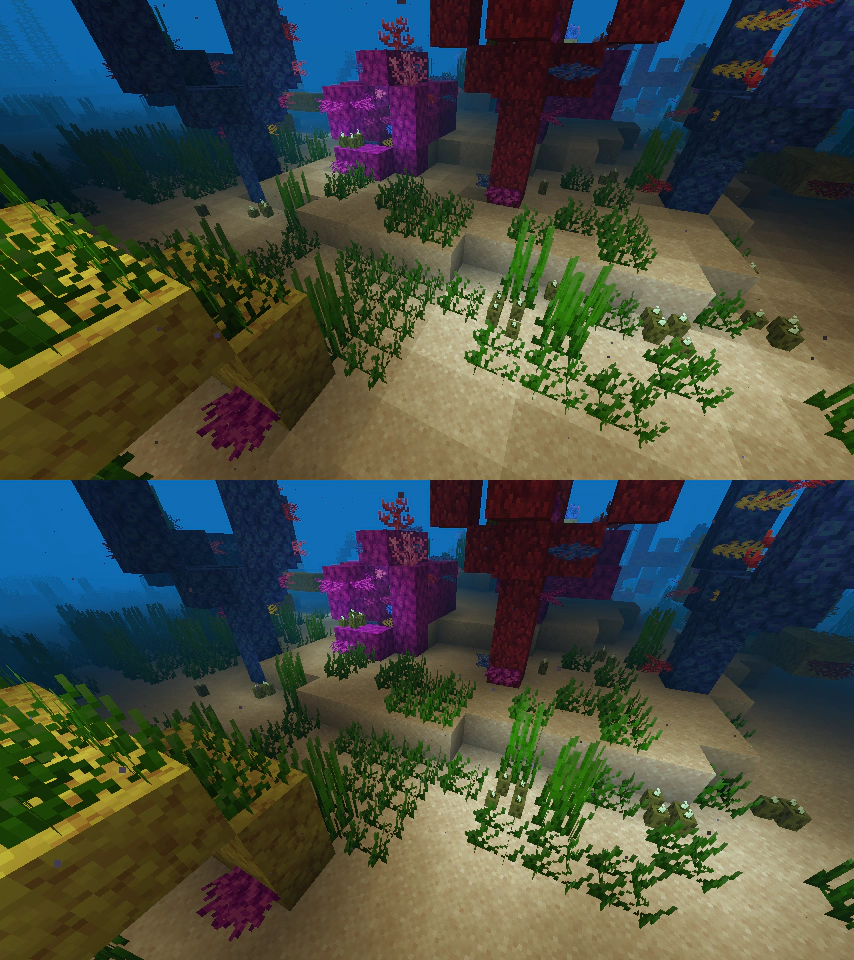
Improve Minecraft rendering performance and smooth out frame pacing.
Created by CaffeineMC
Free modDownloads open the creator's release file directly. Check the requirements below before installing.
Select a thumbnail, use the arrows, or swipe to browse.
Choose one file that matches your game version and loader. These files come directly from the creator's official release host.
Minecraft Java Edition · 26.3
Sodium 0.9.2 for NeoForge 26.3mc26.3-0.9.2-neoforge · 1.15 MBMinecraft Java Edition · 26.3
Sodium 0.9.2 for Fabric 26.3mc26.3-0.9.2-fabric · 1.82 MBMinecraft Java Edition · 1.20.1
Sodium 0.5.13 for Fabricmc1.20.1-0.5.13-fabric · 0.93 MBSodium replaces Minecraft Java Edition's rendering engine to reduce rendering overhead and improve frame pacing. Its project gallery also demonstrates lighting and biome-blending improvements.
Performance varies with your hardware, settings, and other mods. Choose the file that matches both your Minecraft version and your mod loader.
241,538,647 downloads recorded by Modrinth on October 10, 2026. Downloads are not unique players.
Minecraft Java Edition on a desktop computer. Choose a supported Minecraft version and loader (fabric, neoforge, quilt) on the project page. Check the release dependencies before installing.
Use a separate launcher profile with the matching mod loader. Download the compatible file and follow the project instructions; ordinary loader builds go in that profile's mods folder. Datapack releases use the world's datapacks folder instead.
Read the creator's installation guide ↗Use the current compatibility list on the official download page. Back up your saves before adding or updating mods.
The mod is free to download from its official release source. Required base games and tools are separate.
Minecraft Java Edition on a desktop computer. Choose a supported Minecraft version and loader (fabric, neoforge, quilt) on the project page. Check the release dependencies before installing.
Yes. This page provides direct official release-file links, labeled by game version and loader. The files are served by the creator's official release host. The official project page lists additional releases.
Use a separate launcher profile with the matching mod loader. Download the compatible file and follow the project instructions; ordinary loader builds go in that profile's mods folder. Datapack releases use the world's datapacks folder instead.