forge
Download file ↗Minecraft Java Edition · 26.3
Xaero's Minimap 26.6.0forge-26.3-26.6.0 · 2.08 MB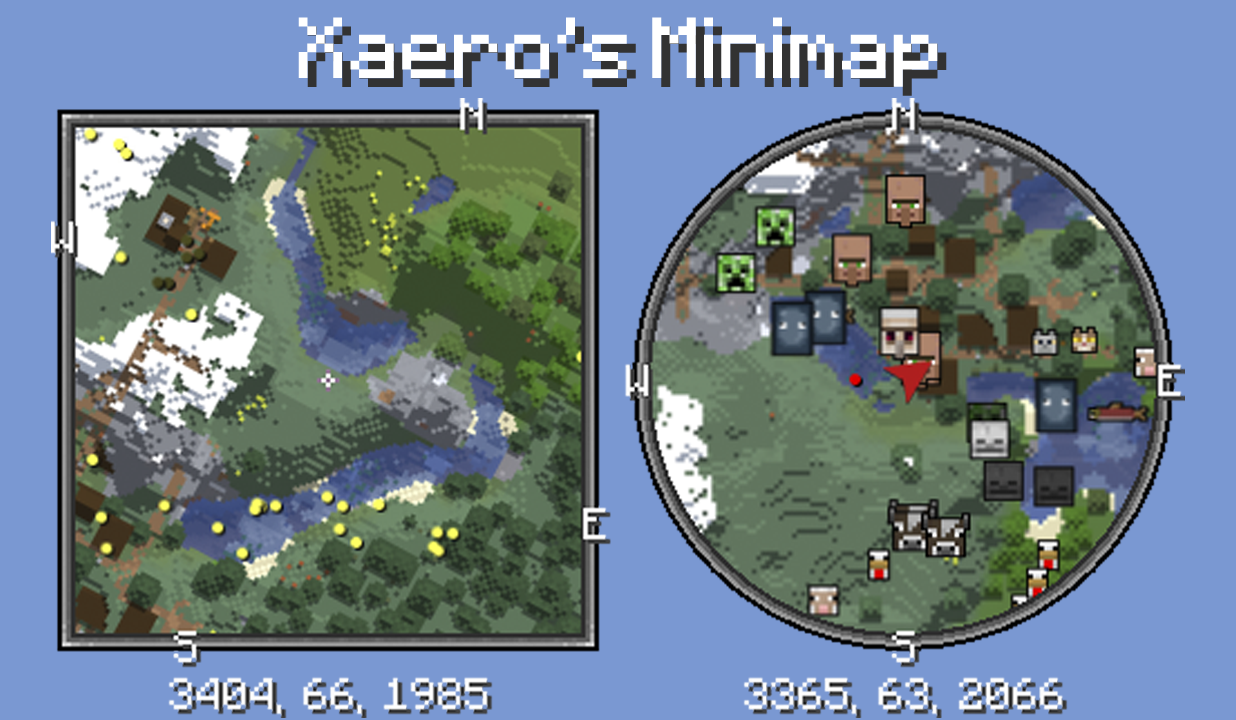
Keep nearby terrain and waypoints visible with a customizable Minecraft minimap.
Created by xaero96 / thexaero
Free modDownloads open the creator's release file directly. Check the requirements below before installing.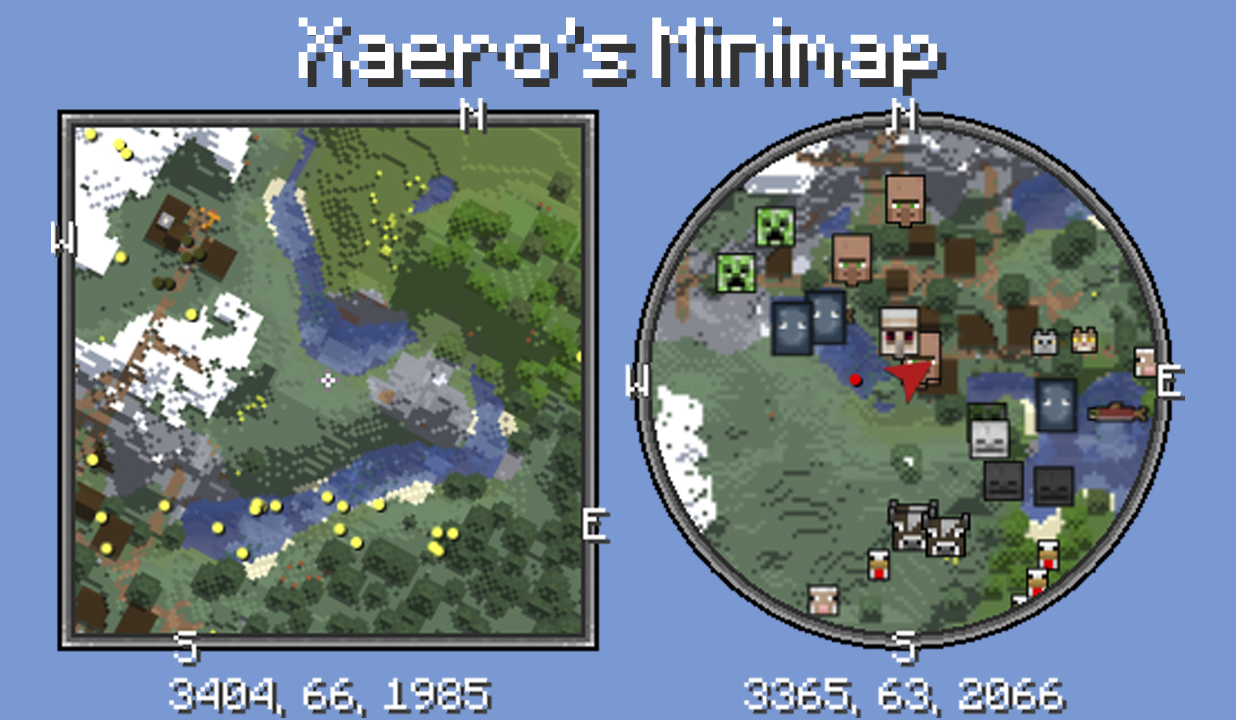
Select a thumbnail, use the arrows, or swipe to browse.
Choose one file that matches your game version and loader. These files come directly from the creator's official release host.
Minecraft Java Edition · 26.3
Xaero's Minimap 26.6.0forge-26.3-26.6.0 · 2.08 MBMinecraft Java Edition · 26.3
Xaero's Minimap 26.6.0neoforge-26.3-26.6.0 · 2.08 MBMinecraft Java Edition · 26.3
Xaero's Minimap 26.6.0fabric-26.3-26.6.0 · 2.13 MBMinecraft Java Edition · 1.20, 1.20.1
Xaero's Minimap 26.6.0forge-1.20.1-26.6.0 · 2.09 MBXaero's Minimap places a configurable map on the Minecraft screen, with options for its position, size, zoom, shape, and waypoints. Its styling is designed to fit the vanilla interface, and it can work with the separate Xaero's World Map mod.
Available radar, cave-map, and teleport features depend on the edition, configuration, and server permissions. A waypoint does not grant permission to teleport. Server rules still apply, and Xaero's World Map is not included in this download.
117,851,375 downloads recorded by Modrinth on October 15, 2026. Downloads include updates and are not unique players.
Minecraft Java Edition with the exact loader shown on the file. Respect multiplayer map and radar rules. Some features can be restricted by the server; teleportation needs the appropriate command permission. Required dependencies declared for the files below: forge / 26.3: no additional required mods declared in the release metadata. neoforge / 26.3: no additional required mods declared in the release metadata. fabric, quilt / 26.3: Fabric API. forge / 1.20, 1.20.1: no additional required mods declared in the release metadata.
Use a separate Minecraft launcher profile and back up your saves. Install the loader that matches your chosen file, then install its required dependency mods for the same Minecraft version. Place the downloaded JAR in that profile's mods folder without extracting it, then launch through the modded profile. Choose one compatible build of this mod; do not install all the alternative files together. These are desktop Java Edition mods, not Android/iOS or Minecraft Bedrock add-ons.
Read the creator's installation guide ↗Use the current compatibility list on the official download page. Back up your saves before adding or updating mods.
The mod is free to download from its official release source. Required base games and tools are separate.
Minecraft Java Edition with the exact loader shown on the file. Respect multiplayer map and radar rules. Some features can be restricted by the server; teleportation needs the appropriate command permission. Required dependencies declared for the files below: forge / 26.3: no additional required mods declared in the release metadata. neoforge / 26.3: no additional required mods declared in the release metadata. fabric, quilt / 26.3: Fabric API. forge / 1.20, 1.20.1: no additional required mods declared in the release metadata.
Yes. This page provides direct official release-file links, labeled by game version and loader. The files are served by the creator's official release host. The official project page lists additional releases.
Use a separate Minecraft launcher profile and back up your saves. Install the loader that matches your chosen file, then install its required dependency mods for the same Minecraft version. Place the downloaded JAR in that profile's mods folder without extracting it, then launch through the modded profile. Choose one compatible build of this mod; do not install all the alternative files together. These are desktop Java Edition mods, not Android/iOS or Minecraft Bedrock add-ons.