Are WordCraft, GridCraft and DeckCraft free office apps?
Yes. ArtCraft publishes WordCraft for documents, GridCraft for spreadsheets and DeckCraft for presentations as free, open-source applications. The official directory lists Windows, macOS and Linux builds and marks all three in development. NeonRoof has added their software pages with official Windows downloads, source links and product screenshots.
They may interest people searching for free alternatives to Microsoft Word, Excel or PowerPoint, but matching a category is not the same as matching every feature or opening every complex file perfectly. This guide explains what to investigate, with a small-studio workflow you can try. It is a documentation-based overview, not a compatibility test or a scored review.
WordCraft: start with a design brief
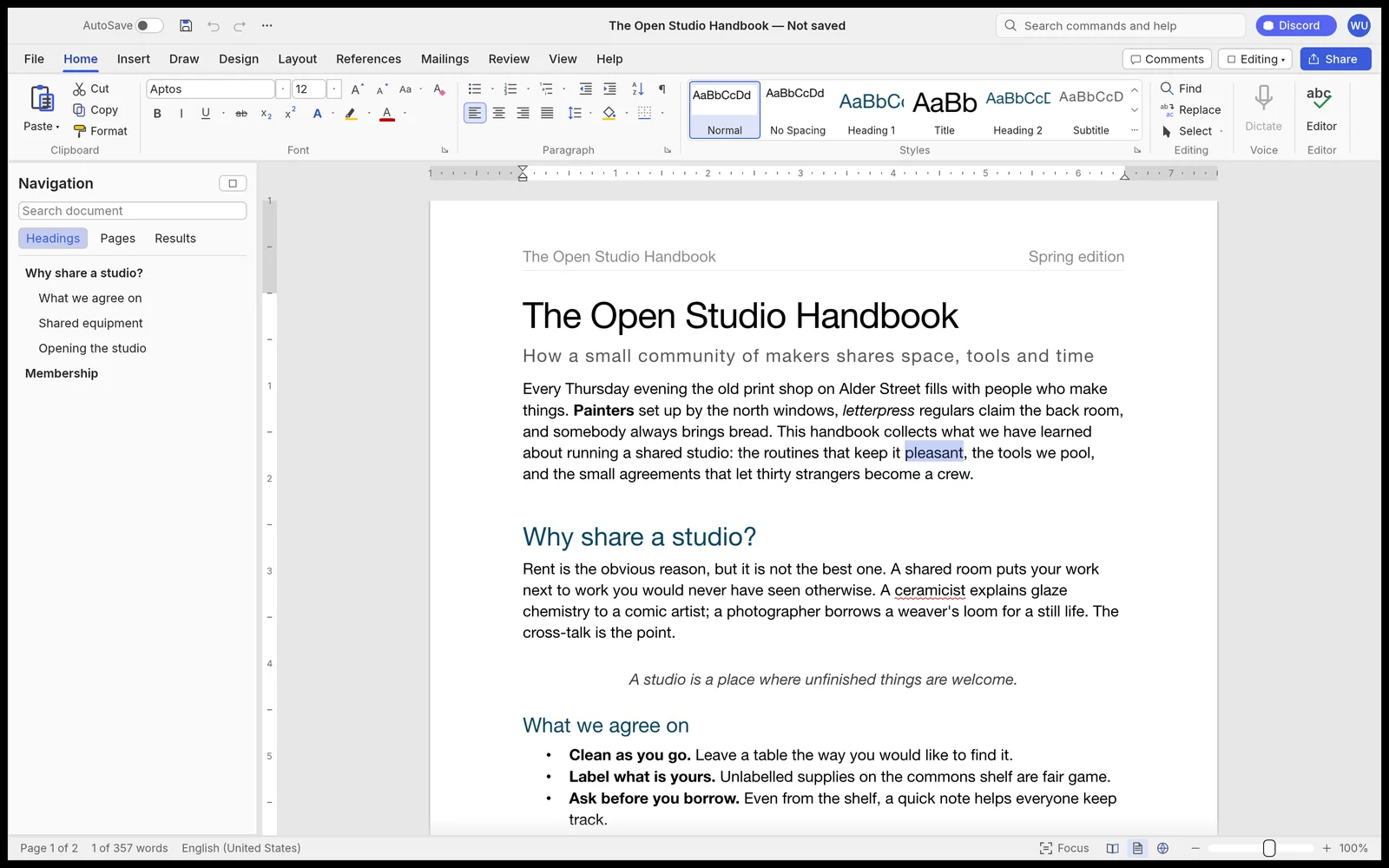
WordCraft on NeonRoof is the writing tool. Its official documentation describes DOCX files, styles, tables and review functions. For an indie developer, a short design brief is a useful first project because it combines ordinary prose with headings, screenshots and feedback.
Try a two-page document that explains the game, target platform and next milestone. Use styles for headings, add a small table and insert an image. Save it, close the application, then reopen the file. If a collaborator uses another word processor, ask them to inspect the same document there. Check page breaks, fonts, image placement and any comments or tracked edits you rely on.
That exercise is deliberately modest. It answers a real question about your document exchange rather than assuming that a format extension guarantees identical rendering.
GridCraft: use a budget with known answers
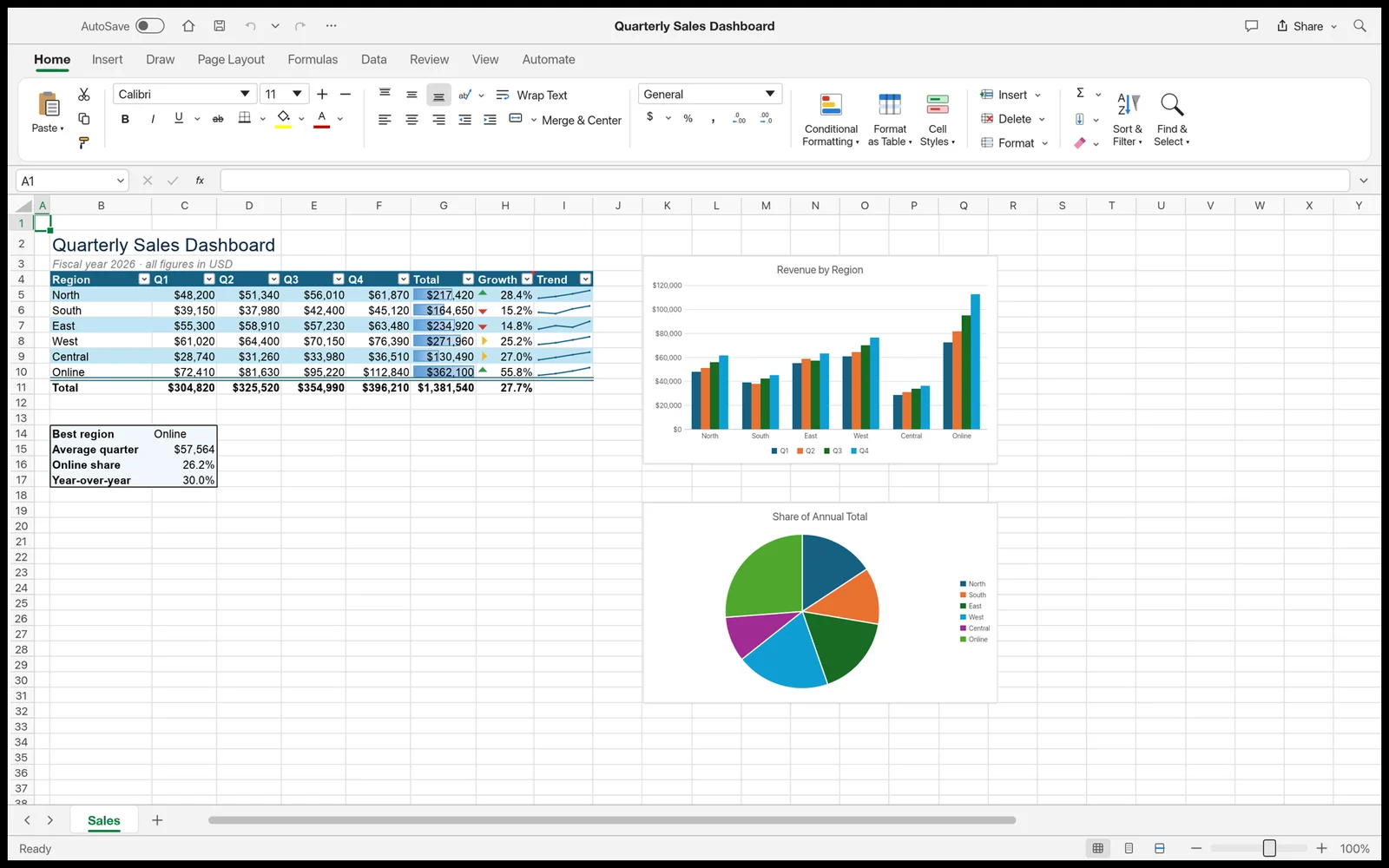
GridCraft on NeonRoof handles spreadsheet work. ArtCraft documents XLSX workflows, formulas, charts and PivotTables on the official GridCraft page. A small game budget, localization list or asset tracker offers a relevant starting point.
For a budget, enter three line items with quantities and unit costs, calculate subtotals and add a contingency row. Work out the expected total independently. Change one quantity and confirm that the dependent cells update. Save the workbook and inspect it in the other spreadsheet application used by your team.
For a tracker, check sorting, filtering, dates and identifiers with leading zeros. If you need macros, external connections or specialized formulas, investigate those specific requirements rather than assuming support from a general spreadsheet feature list. This guide does not establish their availability.
DeckCraft: build a pitch you can actually deliver
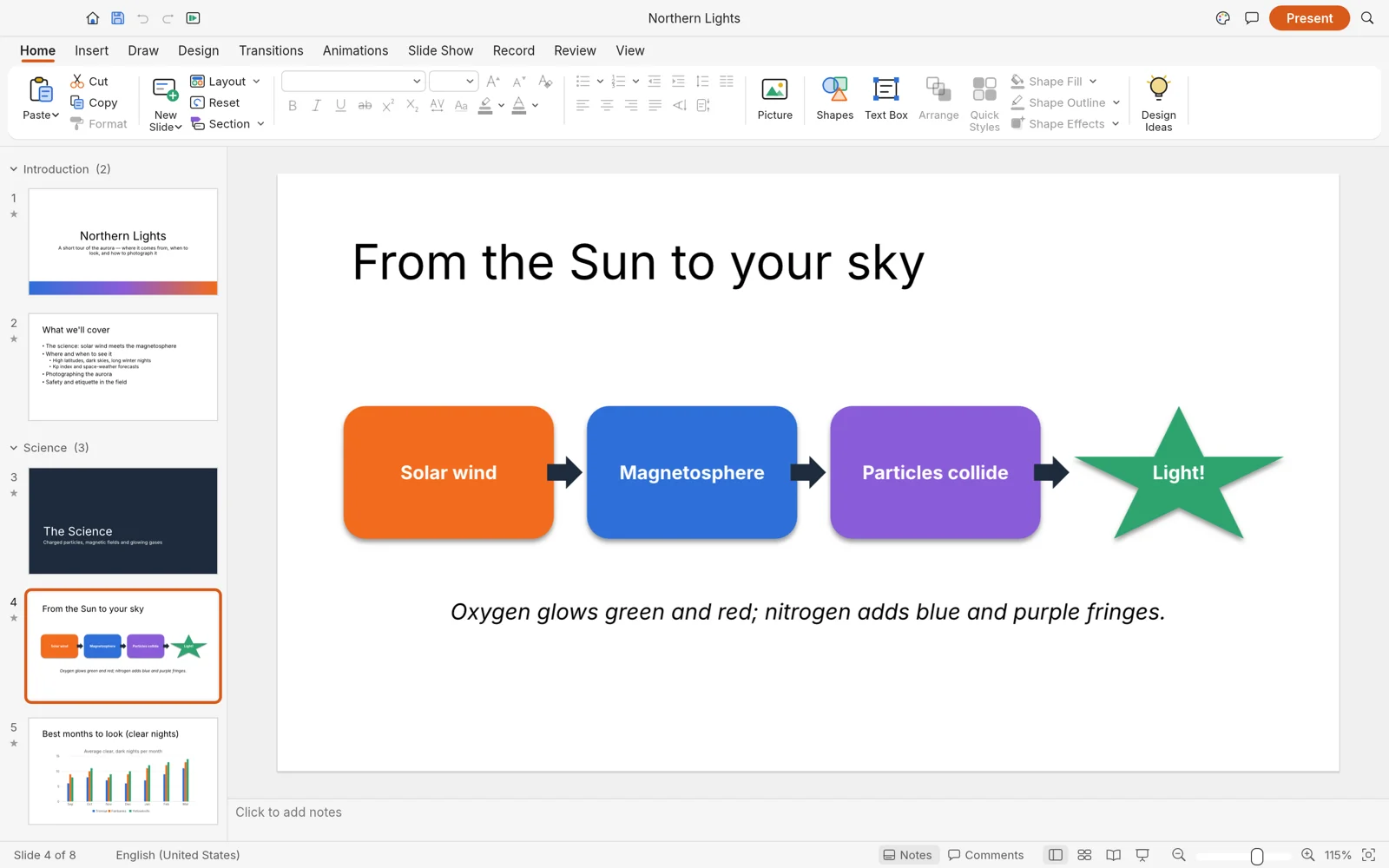
DeckCraft on NeonRoof is the presentation tool. The official DeckCraft page describes PPTX files, slide masters, themes, drawing tools and presenter view. A six-slide game pitch can test the essentials without committing an entire presentation archive.
Explain the premise, show gameplay, identify the audience, describe the current build, outline the schedule and finish with a clear request. Prefer screenshots that show the game over decorative slides. Then inspect the presentation on the machine that will deliver it, including its actual display or projector if possible.
Check font substitution, image proportions, notes, transitions and any embedded media. Export a PDF copy for recipients who only need to read the pitch. A static PDF preserves a reading version, but it does not replace testing animations or live presentation behavior.
A practical workflow for a small game team
Use the same project name and milestone across the document, spreadsheet and presentation. Keep a working copy and a dated sharing copy. Put the current download or wishlist destination in the pitch so the audience can find the game after the meeting.
Developers preparing public materials can continue with our press-kit guide and wishlist page checklist. Those guides concern how to communicate a game; choosing a new office application does not automatically publish a store page or improve its search ranking.
If you also need image editing, interface design, audio or video tools, our thirteen-app ArtCraft guide maps the whole collection. The three office applications are additions to that wider suite, not a separate NeonRoof subscription bundle.
Downloading the three office applications
Use the WordCraft, GridCraft and DeckCraft listings for versioned Windows x64 MSI downloads from the original ArtCraft GitHub releases. At the October 22 check, the linked releases were version 0.8.0. Use the official pages for other platforms or newer versions.
The release URLs point to installers, while a GitHub source archive is material for building the project. Neither a published checksum nor a working download link establishes that NeonRoof has independently audited or malware-certified a package.
Free office apps: quick answers
Can these open DOCX, XLSX and PPTX files?
ArtCraft documents DOCX for WordCraft, XLSX for GridCraft and PPTX for DeckCraft. Complex layouts, formulas, embedded objects and other advanced features need representative-file testing; we have not established complete Microsoft Office compatibility.
Do I need ArtCraft AI credits to edit office documents?
The Crafting Apps are presented separately as free desktop editors. ArtCraft's AI image and video studio has its own services and pricing. These office listings are not a purchase of AI generations.
Are these Microsoft products?
No. They are ArtCraft projects. Microsoft product names identify familiar categories of work and do not imply affiliation, endorsement or shared support.
Which one should I try first?
Choose the task with the smallest, clearest success check: a short brief in WordCraft, a known-answer budget in GridCraft or a six-slide pitch in DeckCraft. Keep original files and existing tools available while evaluating an in-development application.
Keep exploring
Read the complete ArtCraft app guide, explore NeonRoof productivity software, and follow the developer and creator news cluster.
Screenshots supplied through ArtCraft's official app pages and repositories; rights remain with their respective holders. Source pages, licenses and installer metadata checked October 22, 2026. The suggested evaluation steps are editorial guidance, not reports of tests we performed.
No comments yet. Start the conversation with a useful, on-topic response.