What are the ArtCraft apps?
ArtCraft's Crafting Apps are thirteen free, open-source desktop tools covering creative work, documents, spreadsheets, presentations, audio and drafting. They are separate from the company's AI image and video studio. NeonRoof now lists all thirteen, including six additions: FigCraft, WordCraft, SoundCraft, DeckCraft, CADCraft and GridCraft.
Our original seven-app article covered the creative lineup in early October. This guide expands the picture and helps you choose by the job you need to finish. It is based on official project pages and release records checked October 22, 2026, rather than a hands-on review.
Which ArtCraft app should you use?
| Your task | ArtCraft app on NeonRoof | Starting point |
|---|---|---|
| Layered image editing | PhotoCraft | Pictures, masks and promotional artwork |
| Vector illustration | VectorCraft | Paths, shapes and scalable artwork |
| Video editing | FilmCraft | Footage and timeline edits |
| Photo organization and RAW work | LightCraft | A copied sample of your camera files |
| PDF documents | PdfCraft | Reading and page organization |
| Motion graphics | EffectCraft | A short animated composition |
| Publication layout | DesignCraft | A guide, booklet or page spread |
| Interface design | FigCraft | Screens and interactive prototypes |
| Word processing | WordCraft | Design documents and written briefs |
| Audio production | SoundCraft | An audio or MIDI session |
| Presentations | DeckCraft | A pitch or project update |
| CAD and drafting | CADCraft | A drawing with units and dimensions |
| Spreadsheets | GridCraft | A budget or content tracker |
The official directory labels PhotoCraft, PdfCraft and FigCraft early alpha; the other ten are in development. Those labels matter when considering a replacement for established software. A similar purpose does not establish complete feature or file-format compatibility.
FigCraft adds a dedicated interface-design workspace
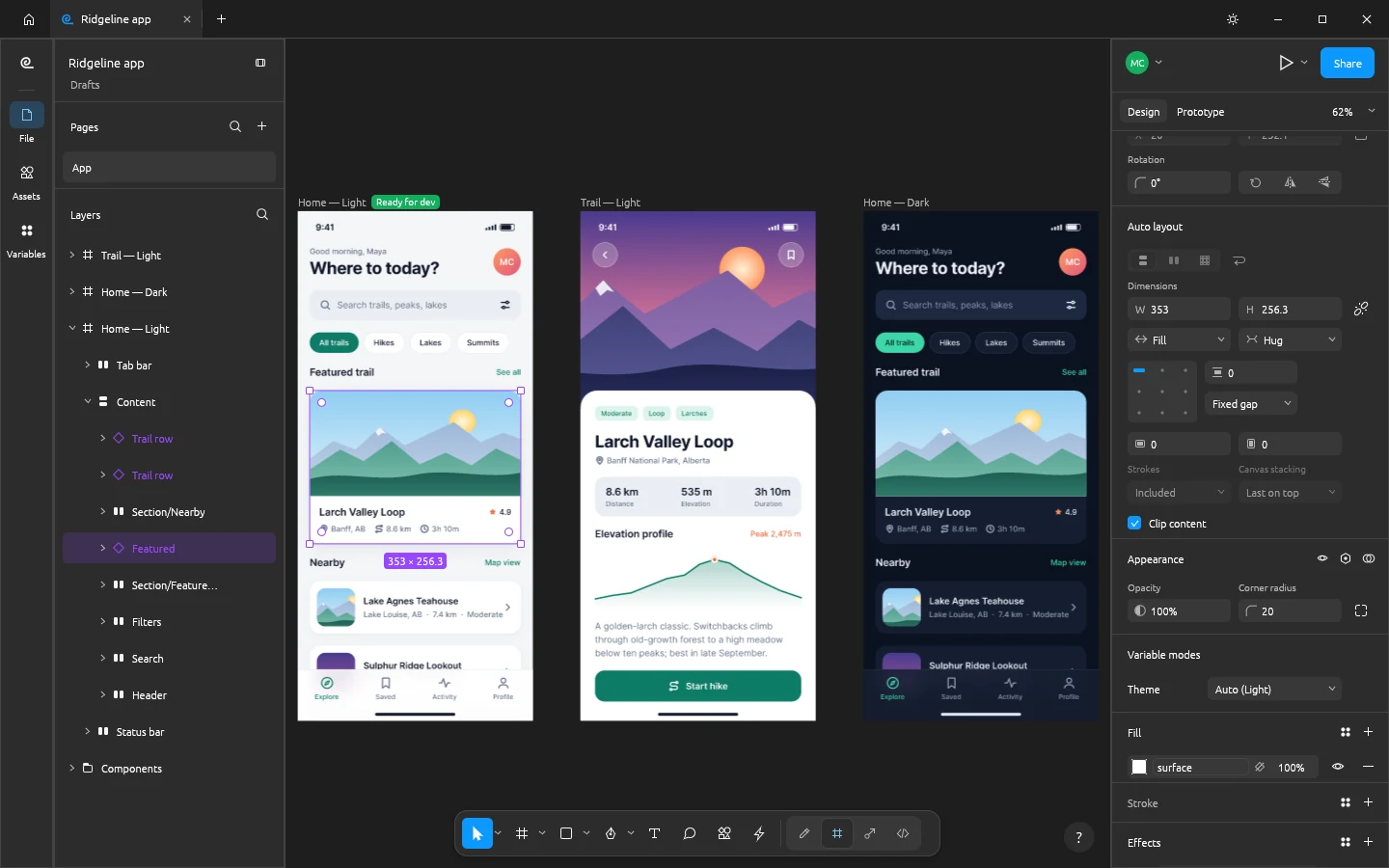
The interesting addition for game teams is a place to plan screens before implementing them. FigCraft documents frames, auto layout, reusable components and prototypes. That makes it relevant to menu layouts, inventory concepts or a companion website. These are suggested uses, not tested game-engine integrations.
Start with three connected screens and one reusable button. Export an asset, inspect it in the destination application, and ask someone else to follow the prototype. That small exercise reveals more about your workflow than a broad claim that any app replaces every part of Figma. Official FigCraft page.
SoundCraft and CADCraft serve very different creators
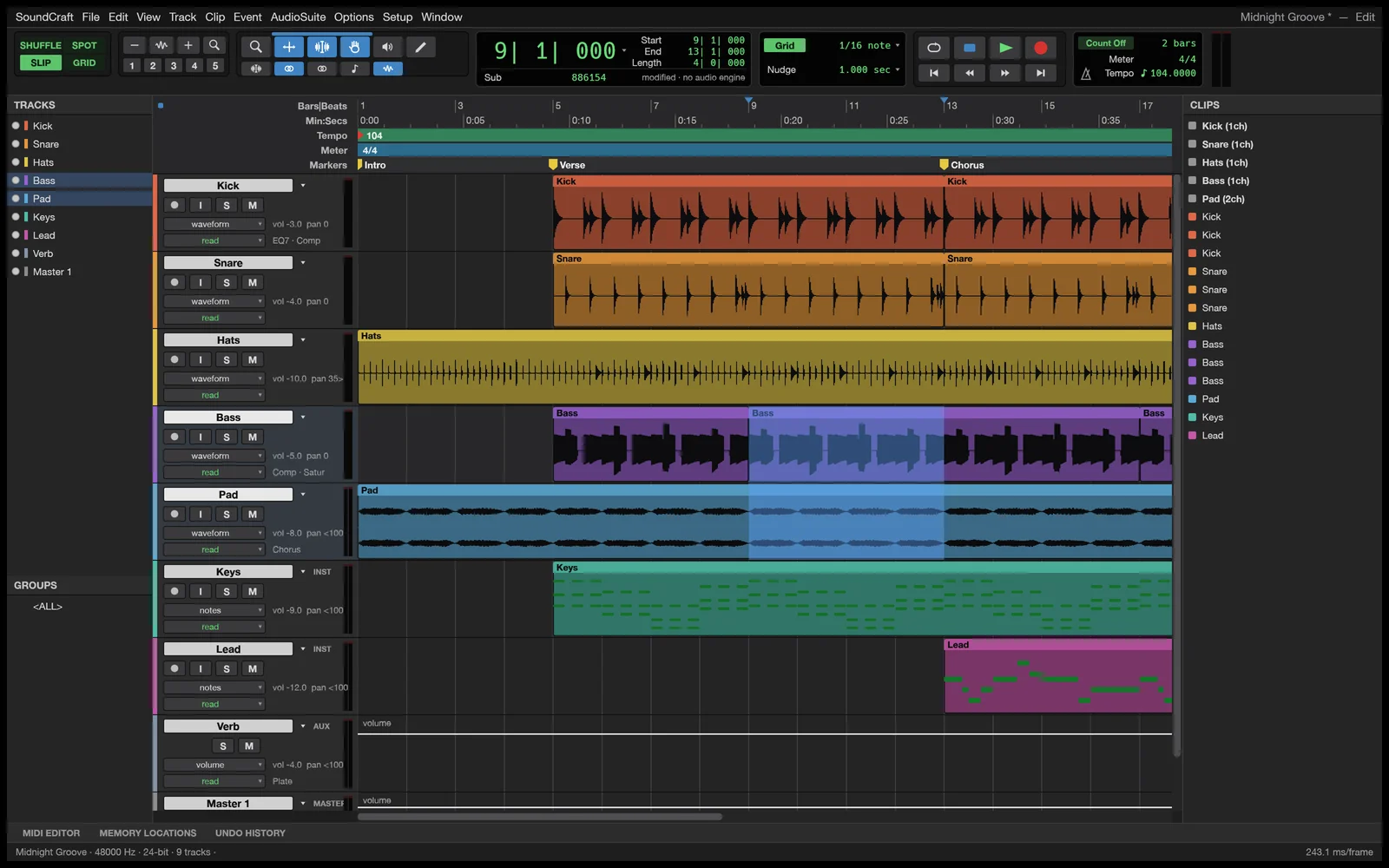
SoundCraft is the audio-production addition: its documentation describes multitrack editing, MIDI and a mixing console. A developer could explore a short sound-effects arrangement or voice session, while a musician may have a different test altogether. Check your device and required plugins before moving an established session. Official SoundCraft page.
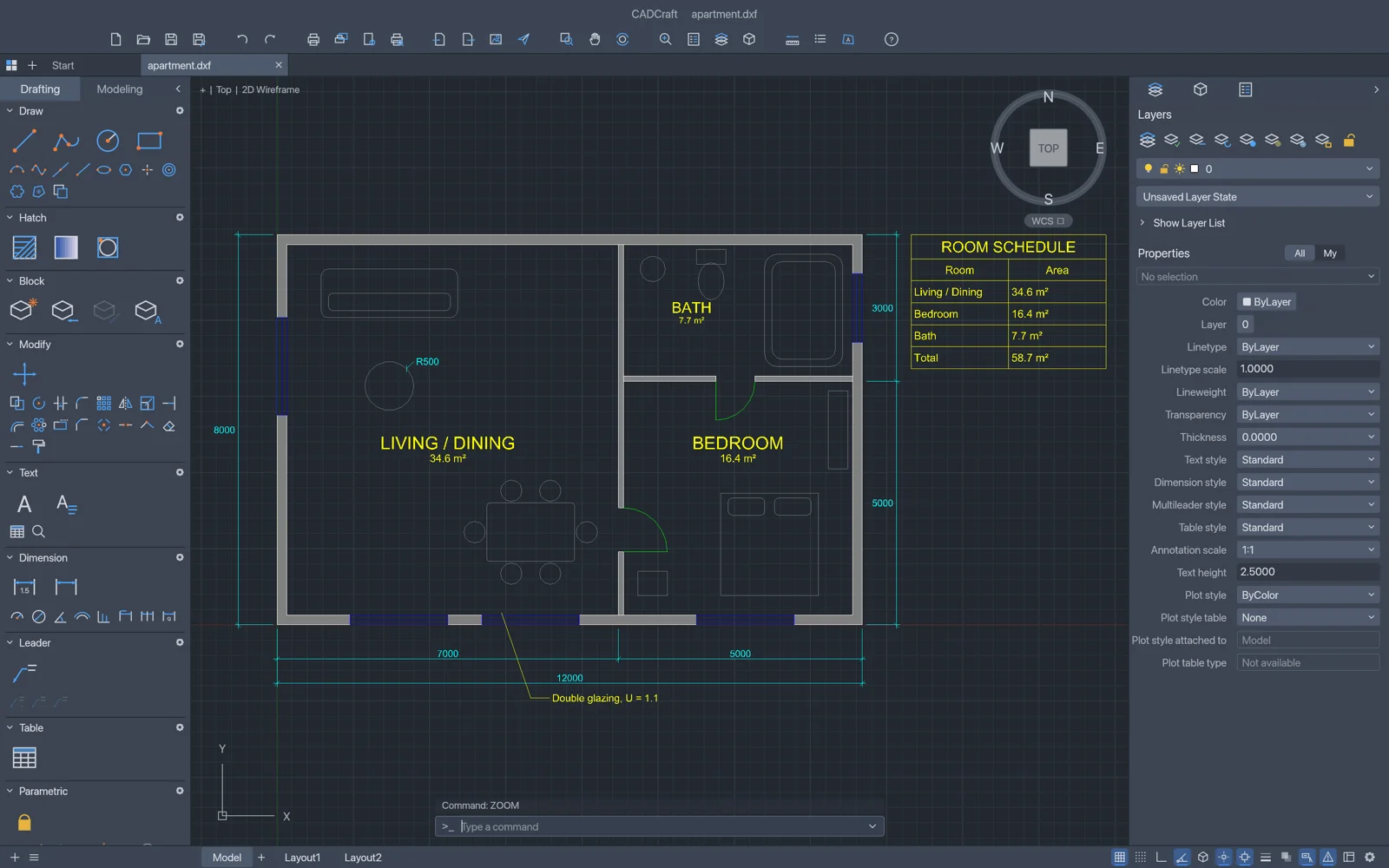
CADCraft addresses technical drawing, including layers, dimensions and DXF workflows. It is not automatically a substitute for a game-modeling pipeline. The right first check is a small drawing with known dimensions, followed by an export and measurement in the receiving tool. Official CADCraft page.
The suite now reaches beyond graphics
WordCraft, GridCraft and DeckCraft cover writing, spreadsheets and presentations. For a small studio, those are the documents around a game: a design brief, production plan, budget and pitch. Our companion free office apps guide explains a practical evaluation workflow and the formats worth checking.
The useful question is not whether a suite has enough app names to rival a subscription bundle. It is whether an individual tool can open your representative file, support the edits you need, and produce a dependable result for the next person. Keep an existing workflow available while testing.
Where to download the apps
The NeonRoof listings above include original project links, official artwork and screenshots. The six additions link versioned Windows x64 MSI files from ArtCraft's GitHub releases. Those are installer files, not GitHub source-code ZIP archives. For macOS, Linux or another Windows architecture, use the matching official app page.
ArtCraft also offers its own launcher for installing and updating the suite. That is a separate product from the NeonRoof Windows launcher. Choose the standalone installer when you want one app, or follow ArtCraft's launcher instructions when you want its suite-management workflow.
ArtCraft apps: quick answers
Are all thirteen Crafting Apps free?
ArtCraft lists the Crafting Apps as free and open source. This does not mean that generations in its separate AI studio, or every connected third-party service, are free.
Are these ready to replace Adobe or Microsoft Office?
We have not established full compatibility or production readiness. The official lineup still uses early-alpha and in-development labels. Evaluate the specific task, file and export you depend on.
Can I use them on Windows, macOS and Linux?
The official directory lists desktop builds for those platforms. It also lists browser builds for twelve apps, excluding FilmCraft. Browser availability on the project website does not mean NeonRoof hosts those apps inside its launcher.
Does NeonRoof make or certify ArtCraft?
No. These are independent listings of ArtCraft projects. Download-link and source checks are not a malware certification, an endorsement from ArtCraft or a hands-on feature benchmark.
More tools for independent creators
Browse NeonRoof software, read the WordCraft, GridCraft and DeckCraft guide, and revisit the original creative-app overview. For the wider production stack, see free game-development software and our art and trailer workflow.
Official screenshots and artwork: ArtCraft and project contributors. Product identities, development labels and linked release records checked October 22, 2026. Screenshots can differ from an installed release. NeonRoof is not affiliated with ArtCraft, Adobe, Microsoft or Figma.
No comments yet. Start the conversation with a useful, on-topic response.