ZIP, EXE, MSI, protected bucket, or delivery API options
NeonRoof for Godot Developers
Bring your Godot game to a dedicated PC storefront
Share engine-independent player benefits while documenting controls, platforms, requirements, license information, and project links.
Package and launcher behavior documented before release
Storefront metadata shared across the web and launcher
Free assisted publishing with your build and artwork
Present a clean export with player-focused documentation
Godot developers can publish the exported Windows build while using the storefront to explain renderer requirements, controls, resolution support, save behavior, license details, and project links. Players should not need engine knowledge to install the game.
Start the Godot publishing pathMake the game's identity stronger than its toolchain
Lead with genre, mechanics, art, and player experience, then mention Godot for technical context and developer discovery. Open-source projects can also connect the listing to the repository and contribution documentation.
Prepare a stronger Godot listing
- Export and test the exact Windows package you plan to distribute
- Include PCK and other external files when they are not embedded
- Document renderer, graphics API, display, and controller requirements
- Identify code and third-party asset licenses
- Test saves, updates, and launch behavior outside the editor
Tested Windows release workflow
Export a Godot Windows release that launches without the project
Use the exported Windows build rather than the Godot project directory. Include the PCK and any external files when they are not embedded, then test the exact package players will receive.
- Export the Windows release to a clean folder with the production export preset.
- Include the EXE, PCK, and every external asset or runtime file used by the export.
- Test outside the editor and, when possible, from a clean Windows account or machine.
- ZIP the release folder, identify the launch EXE, then add the build, artwork, and technical notes in Game Studio.
Check the engine vendor's current instructions before packaging: Godot documentation: Exporting for Windows.
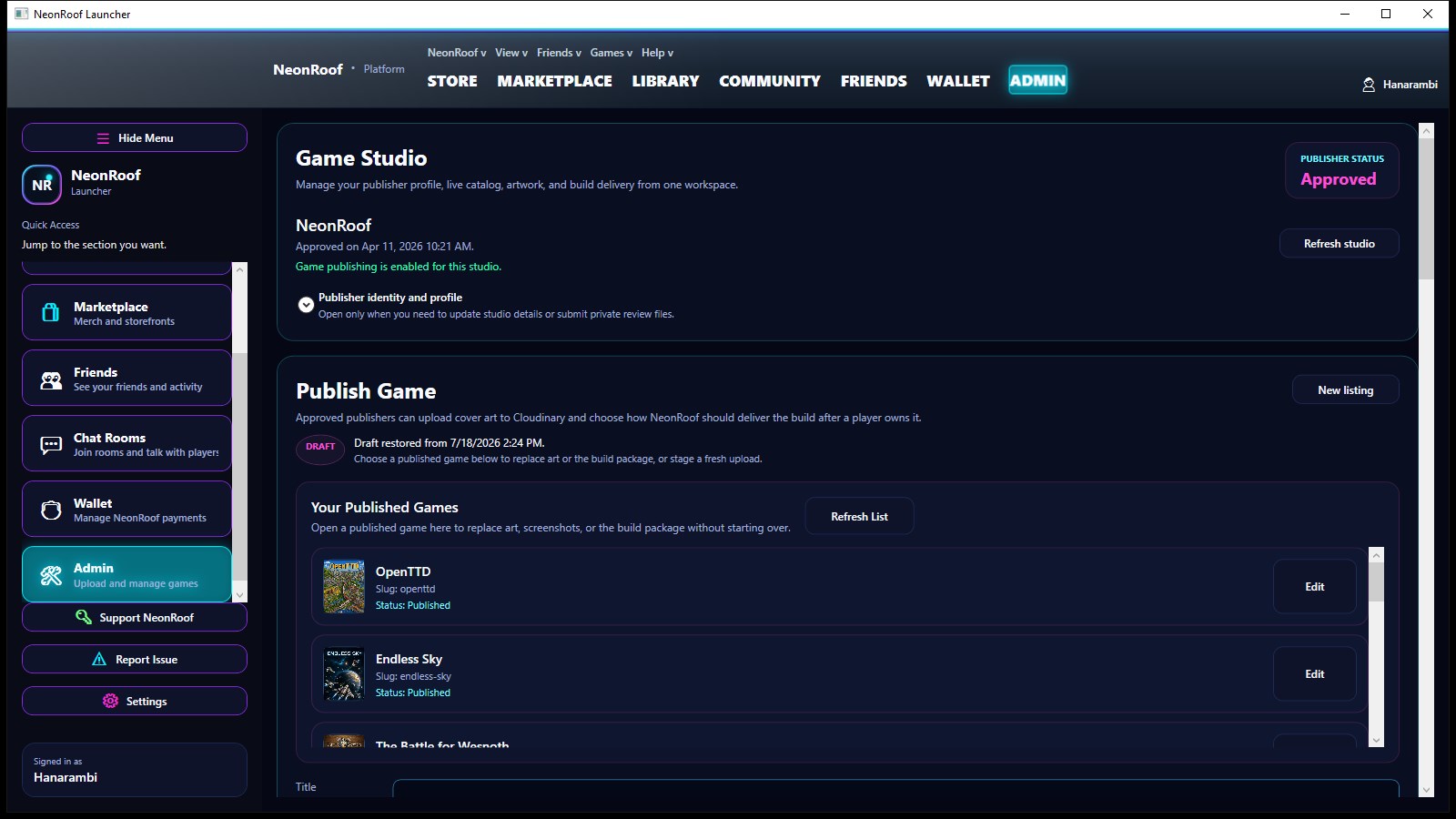
A real search result for your game and your studio
NeonRoof creates a permanent public game page with descriptive copy, canonical metadata, Open Graph and X cards, structured data, screenshots, a trailer, system requirements, support links, and clear download or purchase details.
Your studio also receives a public developer page that can collect its biography, website, social links, released games, future releases, game artwork, and related NeonRoof News coverage.
Prepare the listing while KYC is reviewed
Verified developer accounts can prepare titles while publisher identity review continues. Publishing unlocks after the required identity checks are approved, and paid sales also require Stripe payout readiness.
That keeps the release moving without pretending payment compliance is optional.
Send the build and art. We will assemble the listing.
If the publishing tools get in the way, submit the binary, cover art, banner, up to seven gameplay images, YouTube trailer, contact details, and KYC information. NeonRoof will publish the catalog entry for free and email you when it is live.
Open free assisted publishingDeveloper onboarding
From account to live storefront
- Create and verify a developer account.The same account works on neonroof.com and in the Windows launcher.
- Add your studio and contact details.Your public studio profile and private KYC record are kept separate.
- Complete Game Studio identity review.You can prepare the listing while review runs; publishing unlocks after approval.
- Use Game Studio or ask us to do it.Either path creates the same catalog entry across the website and launcher.
More publishing paths
Find the page that fits your game
Developer questions
Godot publishing FAQ
Can I prepare a Godot game while KYC is pending?
Yes. A verified developer account can prepare the listing while identity review continues. Publishing requires KYC approval, and paid checkout also requires completed Stripe payout onboarding.
What should I prepare for my Godot storefront?
Godot developers can publish the exported Windows build while using the storefront to explain renderer requirements, controls, resolution support, save behavior, license details, and project links. Players should not need engine knowledge to install the game.
Can NeonRoof publish the game for me?
Yes. NeonRoof offers free assisted publishing when the developer supplies the build, required artwork, gameplay images, trailer, contact details, and identity information.
Ready to put Godot on NeonRoof?
Start the normal onboarding flow, ask NeonRoof to publish the game for you, or submit it to the News desk first.