ZIP, EXE, MSI, protected bucket, or delivery API options
NeonRoof for Unreal Engine Developers
Give your Unreal Engine game a storefront worthy of its visuals
Use full banner art, up to seven screenshots, trailers, detailed GPU requirements, and managed or developer-owned build delivery.
Package and launcher behavior documented before release
Storefront metadata shared across the web and launcher
Free assisted publishing with your build and artwork
Set expectations for a visually ambitious Windows build
Unreal Engine games often need careful package validation, hardware guidance, prerequisite handling, and clear download-size information. A rich storefront can pair strong visual media with practical GPU, storage, shader, and first-run notes.
Start the Unreal Engine publishing pathLet the visuals attract players while the details earn trust
Use real gameplay at representative settings and state whether footage is in-engine, pre-rendered, or captured from the shipping build. Accurate performance and feature information helps players decide before downloading a large package.
Prepare a stronger Unreal Engine listing
- Package and test the Shipping build on a clean Windows account
- Include prerequisite installers only when the build requires them
- State download, installed, update, and temporary disk-space needs
- List minimum and recommended CPU, GPU, memory, and storage
- Show representative settings, controls, performance, and accessibility
Tested Windows release workflow
Prepare an Unreal Engine Shipping build for dependable delivery
Submit the complete packaged Windows output and preserve its directory structure. A clean-machine test catches missing prerequisites, plug-ins, cooked content, and first-run problems before players encounter them.
- Package a Windows Shipping build using the settings intended for release.
- Preserve the entire packaged output, including binaries, content, configuration, and prerequisite files.
- Test first launch on a clean Windows account and record download, installed, and temporary disk-space needs.
- ZIP the package root, identify the launch EXE, and publish accurate GPU and system requirements.
Check the engine vendor's current instructions before packaging: Epic Games documentation: Packaging your project.
A real search result for your game and your studio
NeonRoof creates a permanent public game page with descriptive copy, canonical metadata, Open Graph and X cards, structured data, screenshots, a trailer, system requirements, support links, and clear download or purchase details.
Your studio also receives a public developer page that can collect its biography, website, social links, released games, future releases, game artwork, and related NeonRoof News coverage.
Prepare the listing while KYC is reviewed
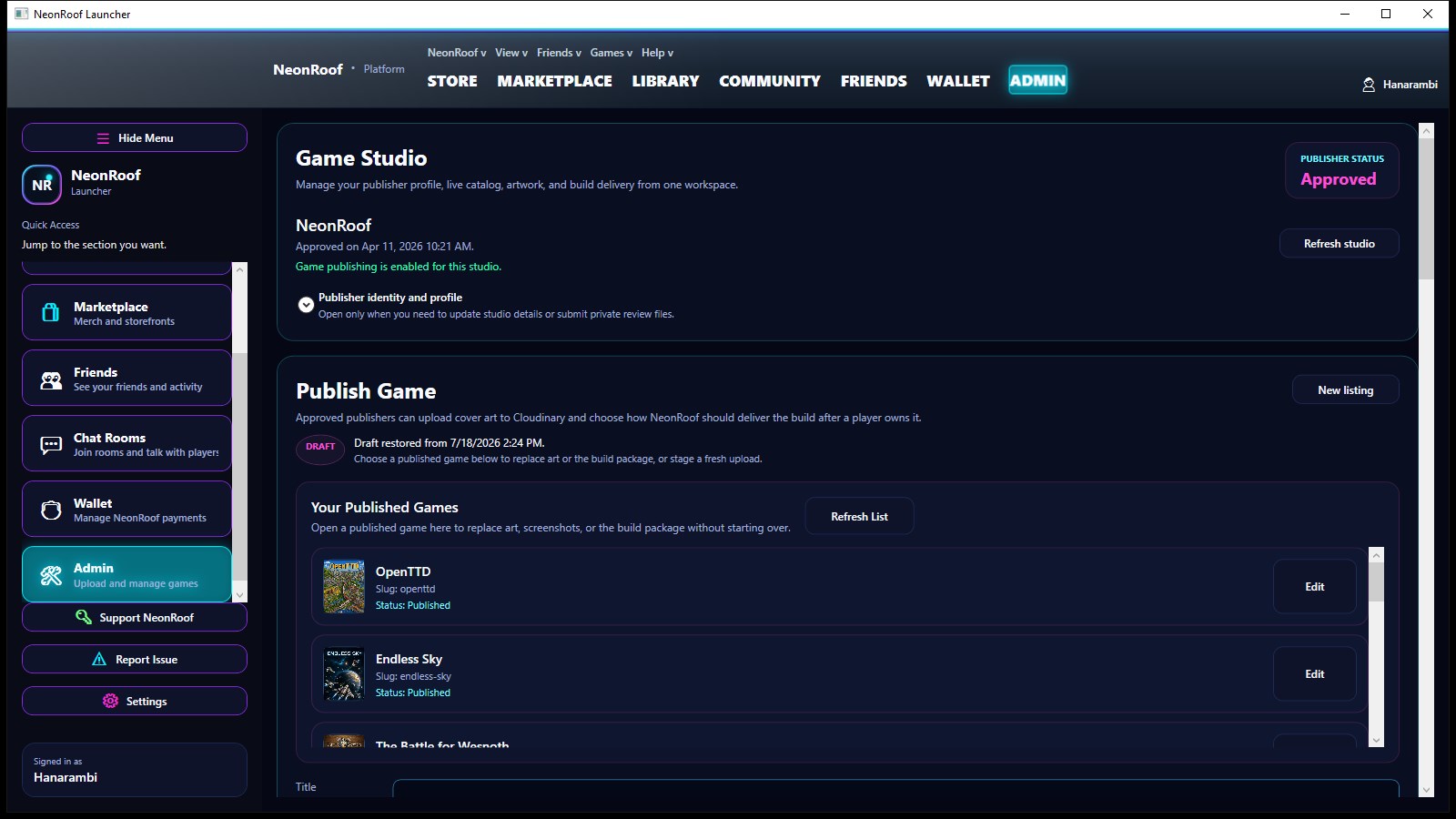
Verified developer accounts can prepare titles while publisher identity review continues. Publishing unlocks after the required identity checks are approved, and paid sales also require Stripe payout readiness.
That keeps the release moving without pretending payment compliance is optional.
Send the build and art. We will assemble the listing.
If the publishing tools get in the way, submit the binary, cover art, banner, up to seven gameplay images, YouTube trailer, contact details, and KYC information. NeonRoof will publish the catalog entry for free and email you when it is live.
Open free assisted publishingDeveloper onboarding
From account to live storefront
- Create and verify a developer account.The same account works on neonroof.com and in the Windows launcher.
- Add your studio and contact details.Your public studio profile and private KYC record are kept separate.
- Complete Game Studio identity review.You can prepare the listing while review runs; publishing unlocks after approval.
- Use Game Studio or ask us to do it.Either path creates the same catalog entry across the website and launcher.
More publishing paths
Find the page that fits your game
Developer questions
Unreal Engine publishing FAQ
Can I prepare a Unreal Engine game while KYC is pending?
Yes. A verified developer account can prepare the listing while identity review continues. Publishing requires KYC approval, and paid checkout also requires completed Stripe payout onboarding.
What should I prepare for my Unreal Engine storefront?
Unreal Engine games often need careful package validation, hardware guidance, prerequisite handling, and clear download-size information. A rich storefront can pair strong visual media with practical GPU, storage, shader, and first-run notes.
Can NeonRoof publish the game for me?
Yes. NeonRoof offers free assisted publishing when the developer supplies the build, required artwork, gameplay images, trailer, contact details, and identity information.
Ready to put Unreal Engine on NeonRoof?
Start the normal onboarding flow, ask NeonRoof to publish the game for you, or submit it to the News desk first.