Join players and independent developers in the NeonRoof Discord community to discuss these games, publishing, and practical game-development work.
If your game is ready but preparing another storefront is slowing you down, NeonRoof offers free assisted indie game publishing. Send a complete playable release, public artwork, studio information and the required verification through the assisted publishing form. NeonRoof can prepare the listing and contact you if something is missing.
This is listing help, not a promise of immediate approval, unlimited free storage, guaranteed promotion or sales. Publishing requires Game Studio identity approval and acceptable rights, safety and technical review. Paid checkout also depends on Stripe payout readiness and the applicable terms.
1. Give us a reliable contact and developer identity
Use an email address you check, your platform username, real contact details and the studio or developer name that should appear publicly. Provide your country and address in the private verification fields, not in public promotional copy.
Write a short studio summary and a fuller bio: who makes the game, why the project exists and what the player should know about your work. Add your official website and appropriate social or community links. Identify any existing Steam, itch.io, GOG or other game pages accurately. Do not imply another store or developer endorses NeonRoof.
2. Supply a complete playable release
Choose one of the delivery routes available in the form:
- A direct or time-limited HTTPS URL to the actual build.
- A protected bucket connection for the package.
- A protected delivery API that returns an authorized download link.
- A ZIP, EXE or MSI upload to NeonRoof, within the current form's limits.
Tell us the package version, target operating system, executable path and installation instructions. A link to a marketing homepage or source repository is not the same as a downloadable game. If the EXE is an installer, say so and explain what it creates.
For paid games, use appropriately protected delivery rather than an unrestricted public download. Share restricted credentials only in the secure connection fields. Do not email a permanent account password, an administrator token or unrestricted bucket keys. Hosting arrangements and capacity need confirmation; free assisted listing does not mean unlimited hosting.
3. Prepare artwork and gameplay media
The current preferred artwork sizes are 600 × 900 pixels for cover art and 920 × 430 pixels for banner art. Supply one to seven real gameplay screenshots and a YouTube trailer when available. NeonRoof can adapt image presentation when necessary, but readable source artwork is still important.
Keep text away from edges and make the cover understandable at a small size. Show what players actually do rather than supplying seven near-identical menu screens. Use the artwork checker and the store-page media checklist before submitting. Confirm you have permission to use every image, track, logo and trailer element.
4. Explain the game and its requirements
Provide the title, one-sentence hook, fuller description, genres, engine, release state, intended launch timing and price. State the supported languages, modes, controller support and accessibility features accurately. Add tested system requirements and a working support contact.
If the game uses an official external launcher, requires another account or downloads additional content on first run, explain that before a player acquires it. Honest requirements reduce confusion and make the public page more useful.
5. Complete rights confirmation and Game Studio verification
The submission flow requires publishing authority, acceptance of the Publisher Terms and an electronic signature. Be ready to provide government ID front and back and a current face verification photo, together with the required legal contact details.
Use the protected verification fields. Do not put ID images in your public artwork, press kit or a public file-sharing link. NeonRoof can prepare a listing while reviewing materials, but publishing remains locked until Game Studio identity review is approved. Do not treat preparation as permission to sell.
6. Continue to Stripe for paid-game payouts
After submission, follow the payout onboarding step. Stripe collects the required business, ownership, tax and bank information directly. NeonRoof does not need your raw bank login credentials.
Submitting a form is not the same as being payout-ready. Complete any additional requirements shown by Stripe and NeonRoof. Fees, refunds, disputes and other adjustments can affect settlement; review the current Publisher Terms rather than assuming the advertised game price is your net payout.
How can NeonRoof help my game get exposure?
A connected game page and developer profile give players useful public destinations to discover and share. NeonRoof supports that presentation with relevant publishing resources, internal links and search-friendly page information. For additional visibility, developers can apply to the Indie Launch Program or submit a game story for News consideration.
These opportunities are reviewed separately; they are not automatic coverage or promotion. Search engines and AI services make their own indexing and recommendation decisions. NeonRoof does not promise a Google position, Bing placement or AI mention. See verified Google visibility results for available historical measurements, and read the organic marketing guide for work you can do alongside a listing.
What if I get stuck in the publishing form?
Use publishing help with the failing step, exact error and relevant package details. Never paste passwords or identity documents into a public message. NeonRoof can contact you through your submitted details about missing materials and listing progress.
What should I send first?
Prepare the complete kit, check it with the free developer tools, then use the secure assisted publishing form. If you prefer to create the listing yourself, start developer onboarding. One clear submission is easier to review than scattered files and incomplete links.
Related practical guides for indie developers
- Why Your Indie Game Is Not Showing Up on Google: An SEO Checklist
- How to Export and Publish a Godot Game for Windows
Related practical guides for indie developers
See which pages, tools and measurements NeonRoof provides for studios in this guide to building search visibility: Indie Game SEO: How NeonRoof Helps Developers Build Search Visibility.
An upcoming indie game example: Albert Nemec and Forester
See how a named developer, a detailed wishlist page, and sourced editorial coverage connect in NeonRoof’s Forester coverage:
- Albert Nemec and Forester: An Indie Developer Building a Woodland Life
- Forester Preview: Forest Management, Estate Restoration and Personal Stories
Considering optional game-economy features?
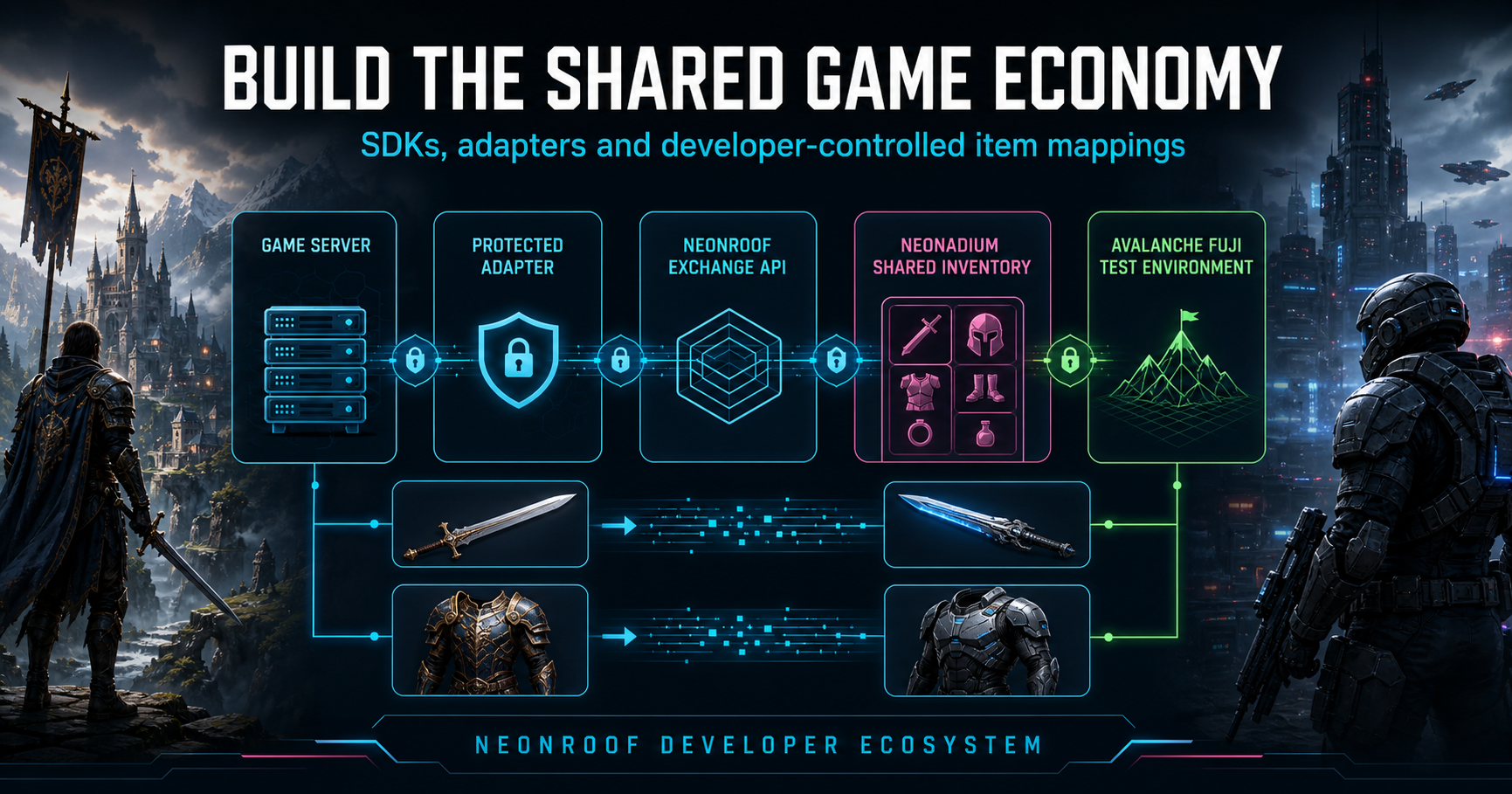
A conventional NeonRoof game listing does not require blockchain integration. If your studio is considering shared currency, portable items or developer-approved resale, read the NeonSwap and NADIUM cross-game economy roadmap. It explains developer control, current service availability and the additional work needed before those features launch.
From your wishlist page to a release plan
For a practical next step, our illustrated guide connects wishlist campaigns, developer profiles, search discovery and the requirements for selling a game.
No comments yet. Start the conversation with a useful, on-topic response.