You do not need eight programs open before you have a game. You need one playable idea, then a tool for the next job that is slowing you down. A rough room made today is worth more than a perfect software collection you never use.
This guide is for indie PC developers choosing free game-development tools for a particular task. It covers two engines, three ways to build levels, and three art tools. The pictures are real screenshots of the software, not mockups. Each link goes to a NeonRoof listing with the project's own site, documentation, license information, and download details. If you are building something and want to compare notes, the NeonRoof Discord is open.
Start with the game, not the engine debate
For a 2D puzzle game or RPG, make one room and one interaction first. For a shooter, test movement and a single encounter. You can decide whether an engine suits you after that small slice exists.

Godot Engine for a small 2D or 3D prototype
Godot has a dedicated 2D workflow as well as 3D tools. Its scene-and-node approach is useful when you want to try an idea quickly, inspect it in the editor, and change it without rebuilding your whole project plan. Start with a player, a wall, and one thing the player can do. That tiny test will tell you more than a feature checklist. The NeonRoof listing links to the official engine and documentation; check the current export targets before choosing a platform.
Stride Game Engine when your team already works in C#
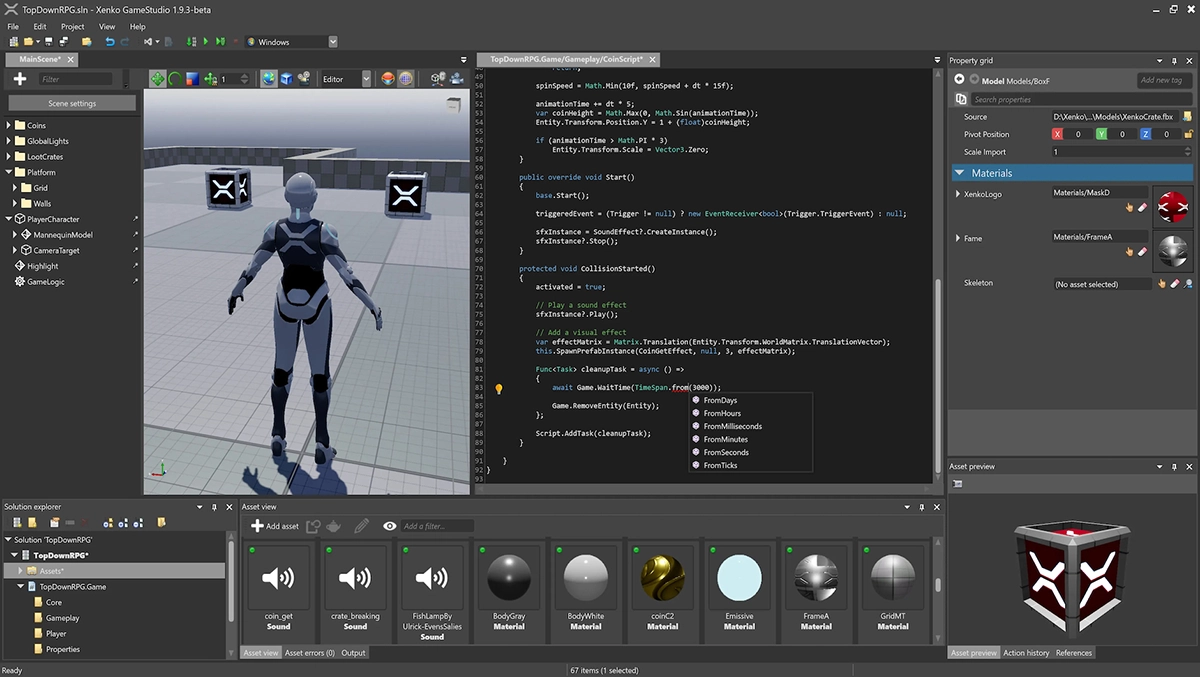
Stride is worth a look for Windows-focused developers who prefer C# and a visual scene editor. It supports both 2D and 3D work, but its real appeal is fitting into an existing .NET workflow. Prototype a camera, input, and one interactive object before committing to it. If you need another deployment target, verify that target against Stride's current documentation rather than assuming every engine exports everywhere.
Give the world shape before polishing it
A map editor is not interchangeable with a game engine. It helps you arrange space and data; your game still has to read that data and turn it into play. Choose by the kind of level you are actually making.
LDtk for structured 2D levels
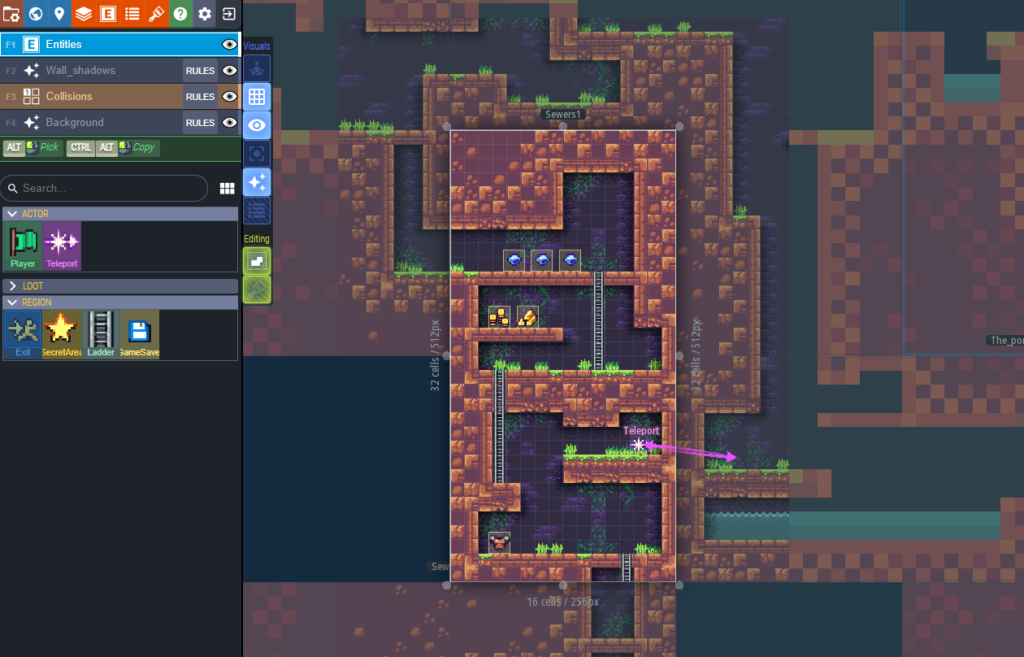
LDtk is a strong fit when your 2D rooms need more than tiles. You can define entities and typed fields, arrange levels in a world, and export structured data for your game code. Try building three connected rooms with one enemy type and a door that knows where it leads. That exercise reveals whether the data model matches your game. LDtk does not make your engine integration automatic; check the relevant importer or write the data reader you need.
Tiled Map Editor for flexible tile maps
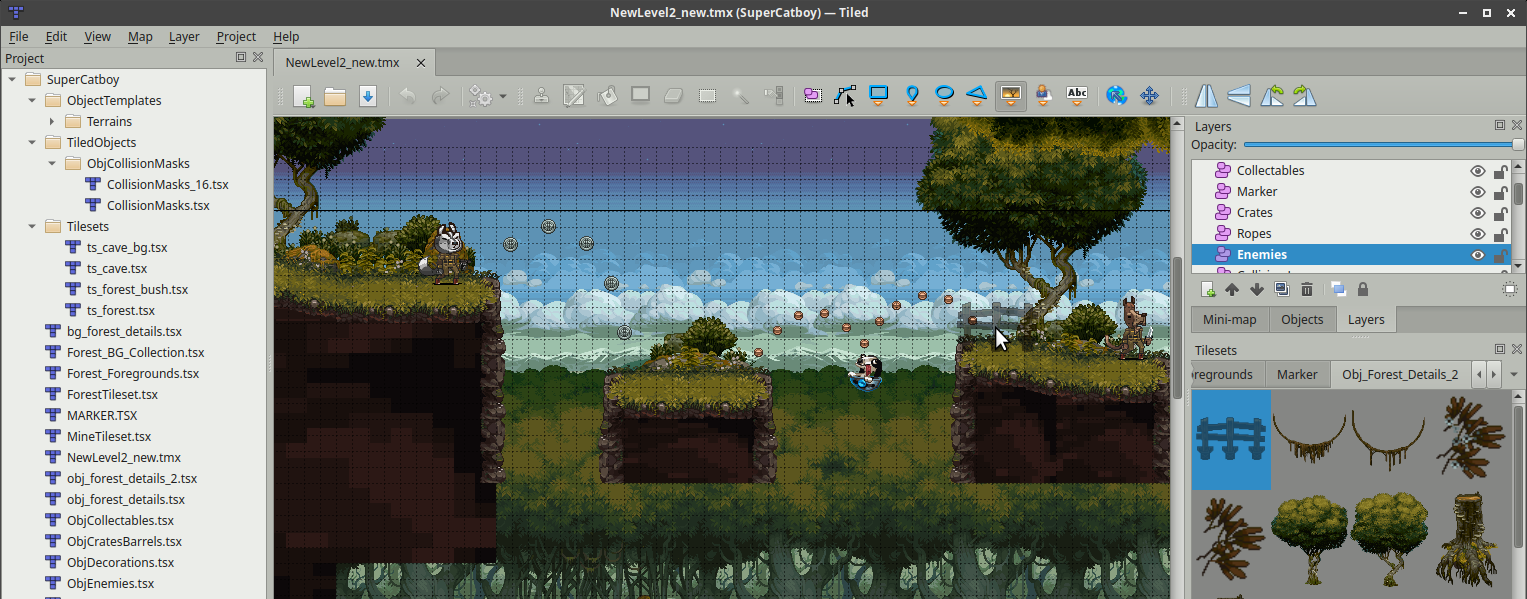
Tiled is the general-purpose choice when tile layers, object layers, custom properties, and portable map data matter most. It works especially well if you want to keep your map editor separate from the engine. Make one small map, export it, and confirm your game reads collision, objects, and properties correctly before you draw a whole world. If you are choosing between Tiled and LDtk, test the same room in both. The better one is the one whose exported data makes sense to your project.
TrenchBroom for Quake-style 3D spaces
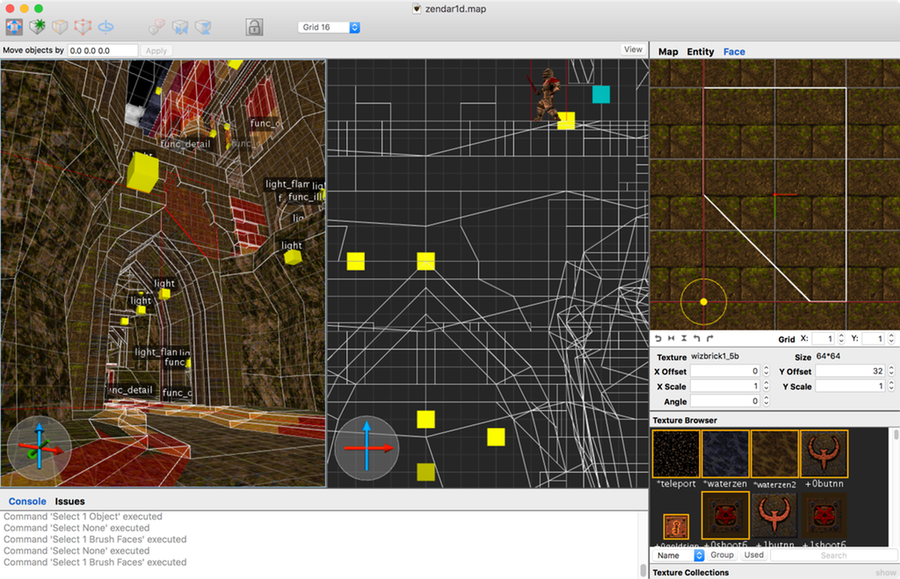
TrenchBroom is a brush-based level editor built for Quake-engine game and mod workflows. It is ideal for quickly judging sightlines, corners, vertical routes, and the pace of an FPS map. Block out an arena in plain shapes and play it before worrying about beautiful surfaces. It is not a one-click level editor for every modern engine: your game format, compiler, and asset pipeline still need to fit its output. Start with its supported-game documentation.
Make art that survives contact with the game
The most useful art is art you can put into a playable build today. Make one character, one environment tile or surface, and one interface element before producing a huge asset pack.
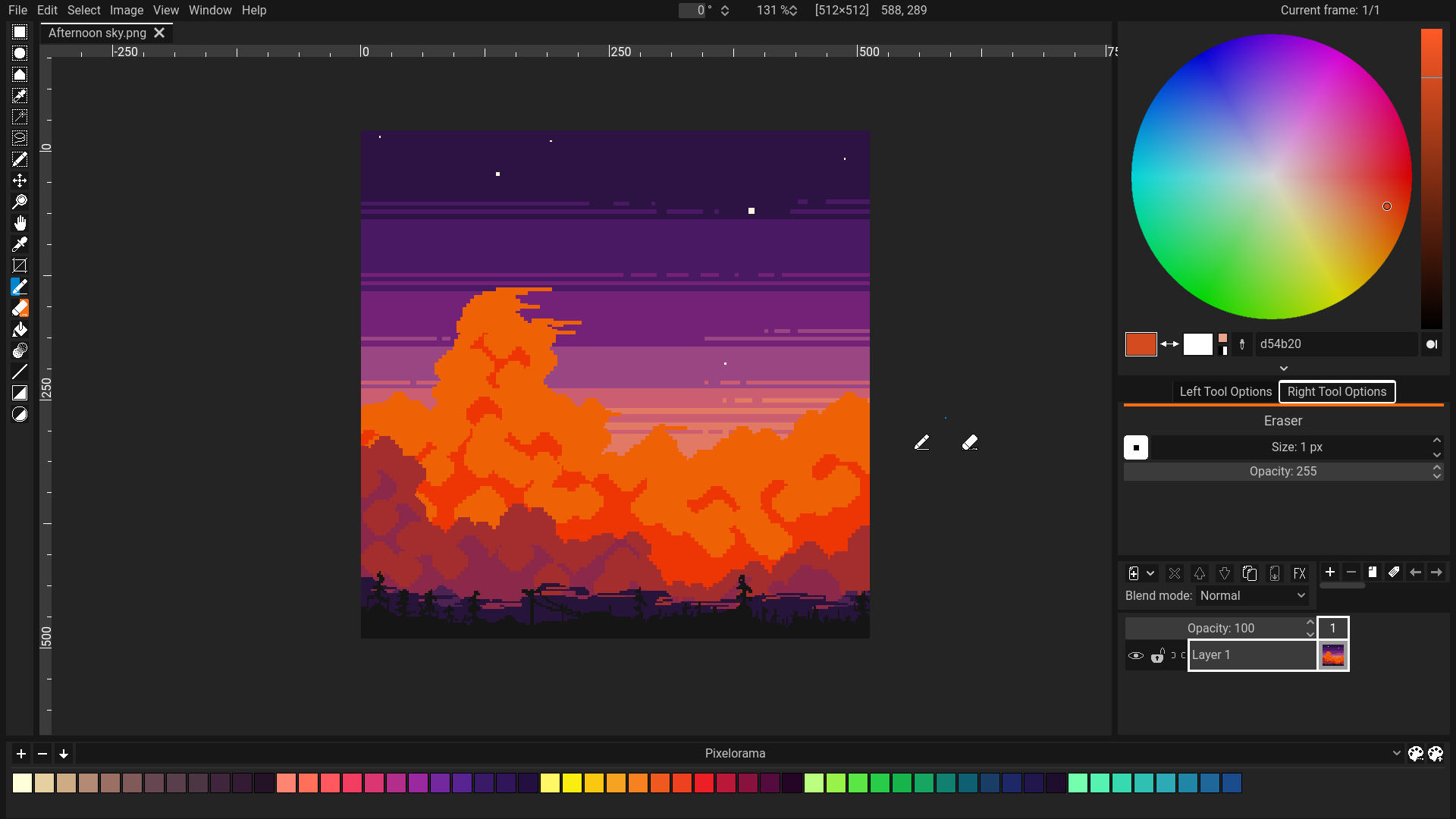
Pixelorama for sprites and pixel animation
Pixelorama gives pixel artists a focused place to draw and animate sprites. A first test could be an idle pose, a walk cycle, and a simple effect at the size they will actually appear in-game. Import those files into your engine immediately. If the character disappears against your backgrounds, change the palette now, not after you have made fifty animations.
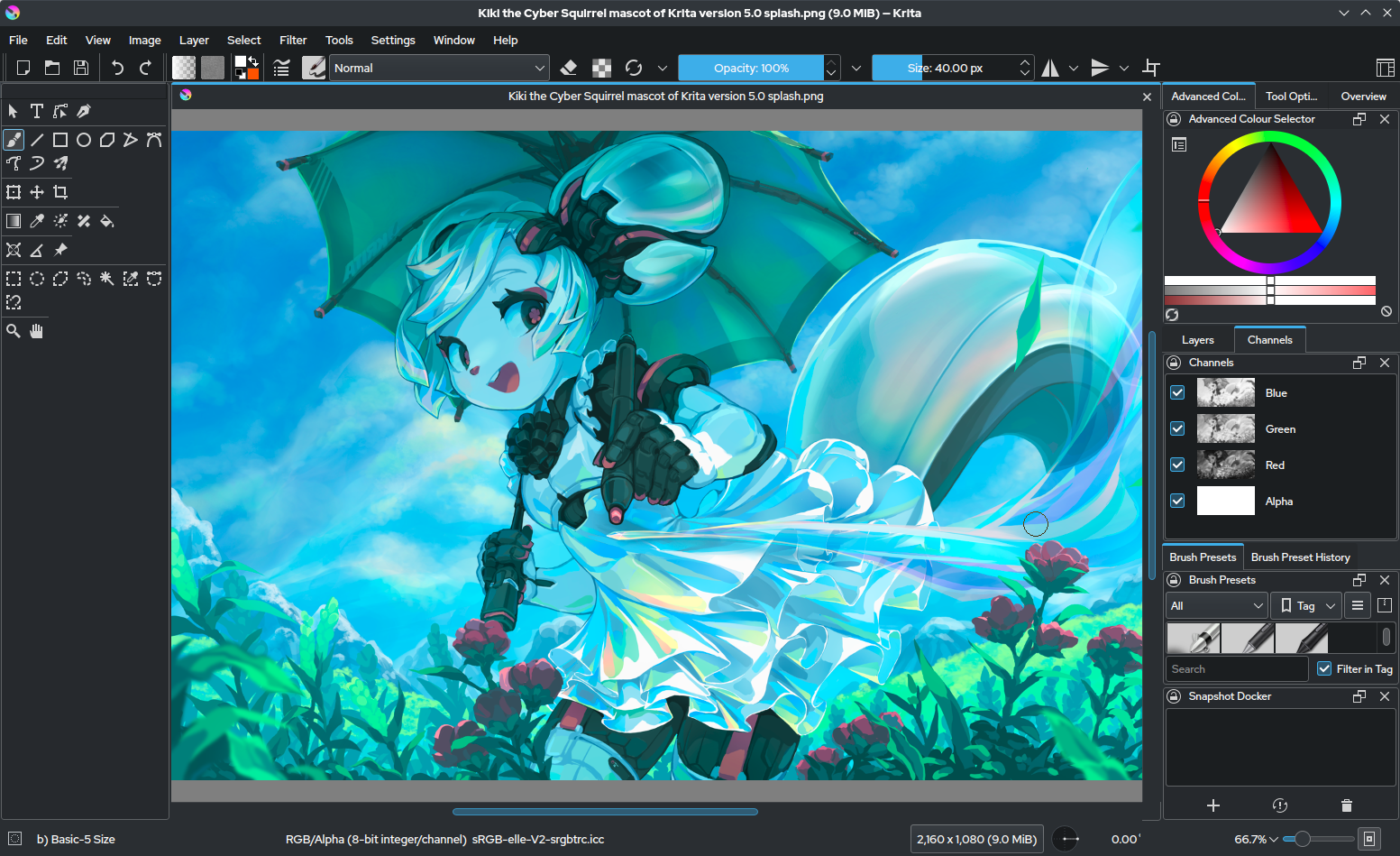
Krita for painted characters and environments
Krita suits illustration, concept art, UI sketches, and hand-painted 2D assets. It is easy to spend days making a beautiful character sheet that is awkward to animate or read at game size. Export one asset, view it inside your game, and check its silhouette and contrast. Keep the source file, the exported image, and any third-party brushes or textures organized with their own license notes.
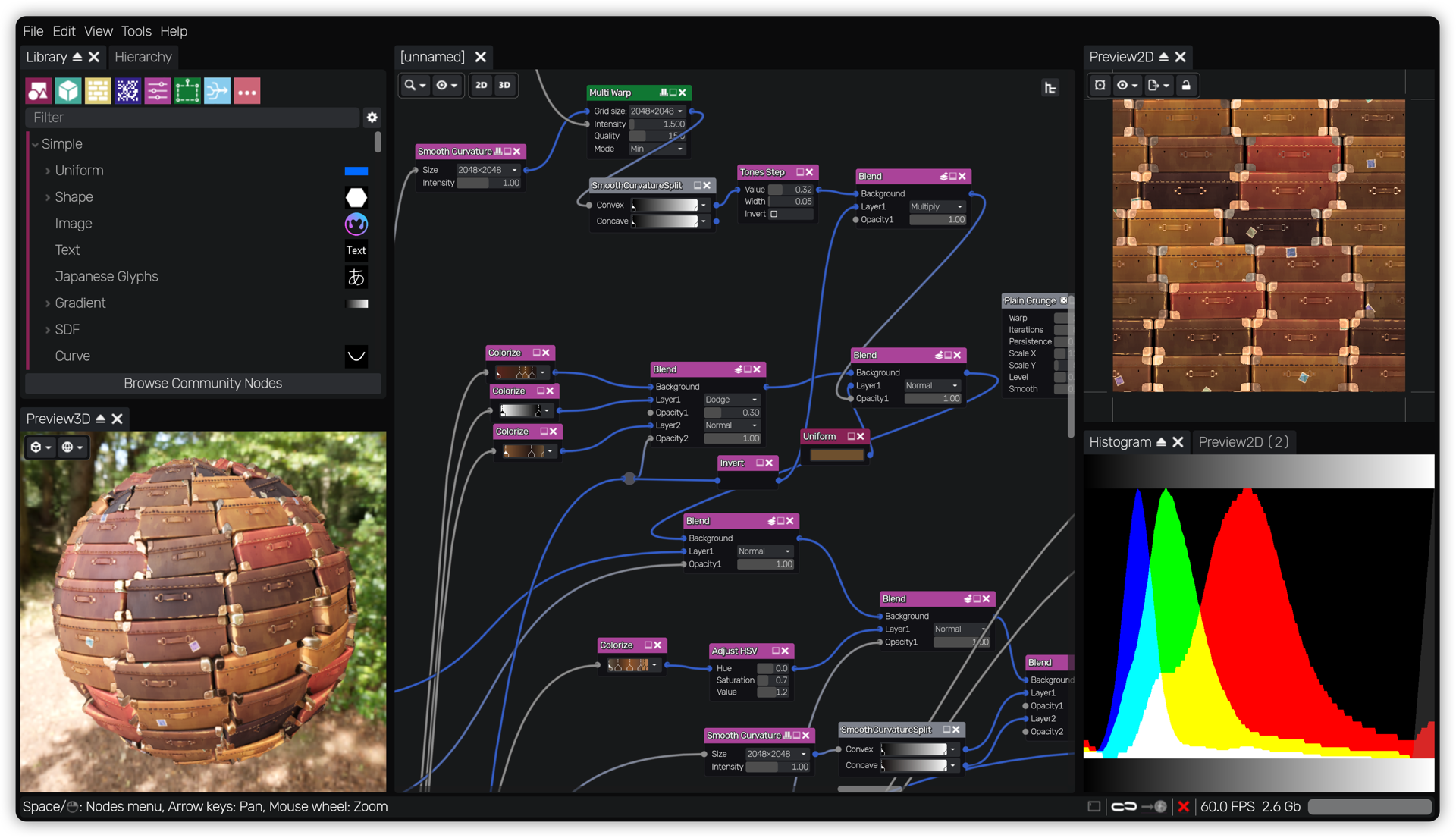
Material Maker for procedural surfaces
Material Maker is useful when a 3D scene needs repeatable stone, metal, fabric, or sci-fi surfaces. Its node graphs can generate and export PBR texture maps. Make one material and test it under your game's actual lighting before building a library of variations. Community materials are convenient starting points, but check each asset's license separately from the software's license.
Quick answers before you download
Which free tools do I need to make my first PC game?
Pick one engine and make a playable room. Add a level editor only if the engine's built-in tools are slowing you down. Add an art tool once the prototype shows what art it needs. A first game does not require every program in this guide.
LDtk or Tiled: which is better for a 2D game?
LDtk emphasizes structured worlds, entities, and typed level data. Tiled emphasizes flexible tile-map and object-layer workflows. Build and export one representative room in each, then judge the data your game must read.
Is TrenchBroom a replacement for Godot or Stride?
No. TrenchBroom builds maps for supported Quake-style workflows; Godot and Stride are game engines. Moving a TrenchBroom map into a different engine requires a compatible import and asset pipeline.
Can I sell a game made with free or open-source tools?
Usually the tool license and your game's content rights are separate questions. Read each tool's license and check the rights to fonts, brushes, textures, music, and other assets you use. The NeonRoof listings link to upstream licensing information, but they are not legal advice.
When your build is ready for players, NeonRoof's developer page explains publishing options. If you chose Godot, our guide to exporting and publishing a Godot game for Windows walks through the Windows release step. For a broader production-to-launch workflow, see our indie game-development toolchain and the free software overview. You can also browse the software catalog for more choices. Tell us what you are building in the Discord.
Images show the actual tools and are credited on the linked software pages. Screenshots can depict an earlier version. Always confirm current compatibility, download source, and asset rights with the original project.
Ready to publish the game?
Choose the stores you can keep updated. Our indie PC publishing guide compares Steam, itch.io and NeonRoof, then walks through builds, artwork, support and release preparation.
Remembering a level-design pioneer
For a historical perspective on the craft, read Remembering Richard “Levelord” Gray, FPS Design Legend. The tribute follows his path from Doom mapping to Duke Nukem 3D, Quake and SiN, with links to his own interviews and reflections on memorable game spaces.
No comments yet. Start the conversation with a useful, on-topic response.