Join players and independent developers in the NeonRoof Discord community to discuss these games, publishing, and practical game-development work.
What does a complete indie game-development toolchain include?
A complete indie-game toolchain includes planning, source control, an engine, asset creation, audio, testing, packaging, storefront media, distribution, analytics, support, and community. The goal is not to collect the most software. It is to create a documented path in which a tested build becomes a trustworthy public page and that page gives the right players a reason to try the game.
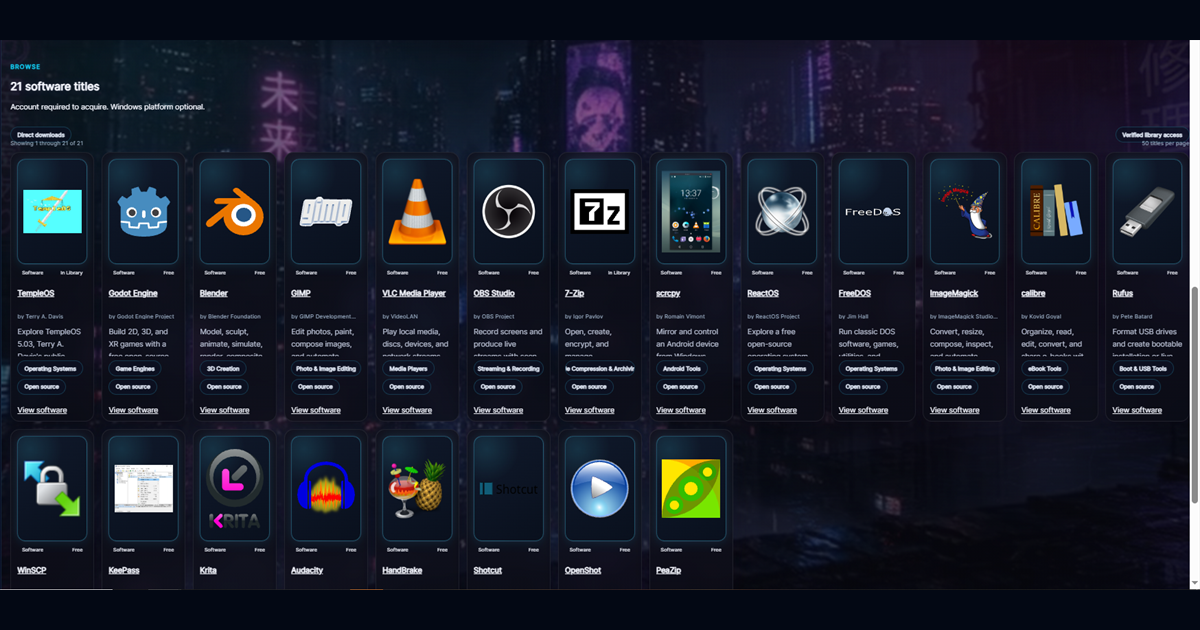
The NeonRoof Game Development software collection begins with free tools such as Godot, Blender, GIMP, and HandBrake. NeonRoof then connects the production side to game pages, developer profiles, news coverage, community, browser delivery, and the Windows platform.
Stage 1: prove the game before scaling production
Build the smallest playable version that answers the central design question. Can the core action be understood? Is it enjoyable after repetition? Can the intended computer run it? Do players know what to do without the developer standing beside them?
A prototype is evidence, not a promise. Use placeholder art when necessary. Test input, saving, resolution changes, audio controls, accessibility, and failure states early. Keep source control from the beginning and maintain a backup outside the development machine.
Godot Engine can provide the runtime and editor for many 2D and 3D projects. Whatever engine you choose, keep a repeatable clean-build process and record the engine version and extensions used by every release candidate.
Stage 2: establish an asset pipeline
Move from placeholders to production assets only after naming, scale, folders, ownership, and export rules are clear. Blender can handle 3D models and animation. GIMP can prepare textures, interface elements, covers, and screenshots. Other tools may cover painting, sound, music, procedural content, fonts, localization, or capture.
Maintain an asset register with creator, source, license, required attribution, modification notes, and where the asset appears. This protects the studio, makes future updates easier, and gives a publisher or platform reviewer a coherent answer when rights questions arise.
Stage 3: make a release candidate reproducible
A release candidate should be generated from a known source revision with documented build settings. Test a clean installation on a machine that does not contain the developer environment. Verify launch, uninstall, save paths, controller behavior, display scaling, offline behavior, network errors, and update behavior.
Record the version, date, file name, file size, and SHA-256 hash. Scan the exact package that will be distributed. If the game uses an installer, test the normal user path and any elevation request. A build that works only on the developer's computer is not ready for players.
Stage 4: build the public discovery package
Create a specific title, one-sentence promise, long description, genre and feature terms, readable cover, wide banner, social preview, current screenshots, trailer, system requirements, accessibility notes, support path, and developer biography. Avoid keyword stuffing. Use the words real players use only when they accurately describe the game.
The free game-development software guide explains the creator stack, while the art and trailer workflow organizes the media pipeline. Then use the press-kit guide to make facts and authorized media easy to obtain.
Stage 5: publish in more than one legitimate place
Do not make discovery depend on one algorithm. Maintain an official website and publish on the storefronts that fit the project. NeonRoof for Developers provides another permanent game page, a linked public developer profile, Web and Windows visibility, optional commerce, community features, editorial submission, and free assisted publishing.
The value is the connected footprint. A developer profile links to games. A game page links to the studio and support. A relevant article links to the game and developer guidance. Category and genre pages help users browse. Accurate structured metadata helps search systems identify the entities and relationships. These signals do not guarantee search placement, but they make the project easier to understand and verify.
Read where to publish an indie game for a balanced multistore strategy.
Stage 6: market by answering real questions
Organic marketing is more useful when it answers player questions rather than repeating slogans. Show mechanics, explain design decisions, publish meaningful updates, document unusual technology, provide honest requirements, and make a demo easy to understand. Use the organic marketing guide to connect content, video, community, and measurement.
NeonRoof News accepts game stories separately from store publishing. A project that is not ready for sale may still have an interesting prototype, accessibility feature, engine technique, art process, soundtrack, development lesson, or community milestone. Submit a game for editorial consideration with facts, screenshots, trailer, links, and a useful story angle.
Stage 7: support the players who arrive
Discovery is not complete at download. Publish installation help, known issues, controller information, save locations, privacy details, patch notes, and a real way to contact support. Respond to repeat problems by improving the product and documentation. The first players can become testers, advocates, reviewers, and community members when they are treated as people rather than traffic.
Frequently asked questions
Does NeonRoof replace Steam or itch.io?
No. NeonRoof is designed as an additional publishing and discovery surface. Keep the channels that already serve the game and add NeonRoof when another searchable storefront, developer profile, news route, community, and Windows platform presence are useful.
Can NeonRoof help publish the game?
Yes. The assisted publishing path lets a developer provide the binary, cover, banner, gameplay art, trailer, contact details, and required onboarding information so NeonRoof can help assemble the listing.
What should I do next?
Check the game with the developer readiness checker, organize timing with the 90-day launch checklist, and begin developer onboarding when the rights, build, media, and contact details are ready.
For detailed choices in maps, FPS levels, and art, read Free Game Development Tools for 2D Maps, FPS Levels, and Game Art.
For a concrete narrative-game example, see Ren'Py for Indie Game Developers: Free Visual Novel Engine and Toolchain.
No comments yet. Start the conversation with a useful, on-topic response.