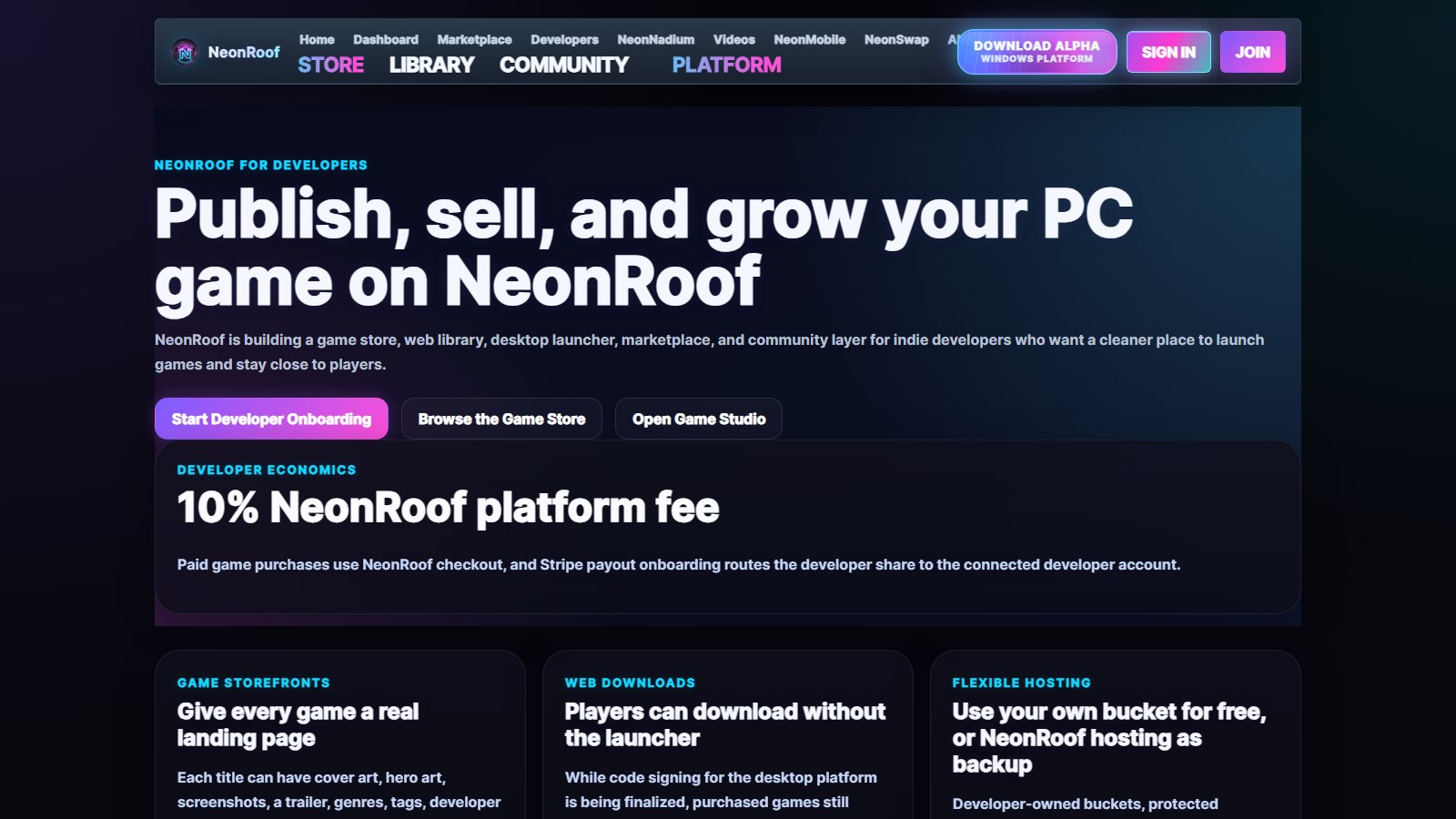
Join players and independent developers in the NeonRoof Discord community to discuss these games, publishing, and practical game-development work.
If you are wondering where to publish your indie game in 2026, the most useful answer is not a single storefront. Use each platform for what it does well, keep a home base you control, and give players more than one legitimate way to discover your work.
Steam offers enormous reach, wishlists, community features, and a familiar buying experience. itch.io offers unusual flexibility for prototypes, game jams, free releases, pay-what-you-want projects, and direct relationships with players. NeonRoof gives independent PC developers another searchable storefront, a Windows launcher presence, permanent game and studio pages, editorial opportunities, and free publishing help when setup becomes a barrier.
For many developers, the strongest launch is Steam plus itch.io plus NeonRoof, supported by the developer's own website and community. That is not duplication for its own sake. It is a distribution portfolio.
NeonRoof is an independent platform and is not affiliated with or endorsed by Valve, Steam, or itch.io. Platform features and terms can change, so confirm the current requirements on each service before release.
The short answer: where should you publish an indie game?
Choose the platforms that match the game, the audience, and the stage of development.
- Publish on Steam when you want access to the largest established PC storefront audience, wishlists, launch notifications, reviews, community features, and the Steamworks ecosystem.
- Publish on itch.io when you want fast setup, flexible pricing, game-jam support, browser builds, experimental projects, or control over the platform revenue share.
- Publish on NeonRoof when you want another PC storefront, a Windows launcher listing, a permanent developer profile, search-focused pages, community discovery, editorial consideration, and hands-on publishing assistance.
- Maintain your own website so press, creators, search engines, and players always have an official source that you control.
There is no universal winner. A polished commercial release and a weekend game-jam project have different needs. The mistake is assuming that your game must live behind only one door.
Why one store is rarely enough for an indie developer
Independent studios do not usually have a development problem alone. They have an attention problem.
A strong game can launch into a catalog containing thousands of other titles. If every trailer, social post, review, press mention, and search result sends players to the same single page, the entire launch depends on one discovery system. A multi-store strategy creates more paths:
- a Steam page for wishlists and the established PC audience;
- an itch.io page for flexible distribution and early supporters;
- a NeonRoof game page and developer page for another searchable footprint;
- an official site for the press kit, mailing list, support, and long-term identity;
- community pages where players can follow updates and talk with the developer.
This does not mean copying weak text across every store. Each page should answer the questions its audience is likely to ask. The NeonRoof guide to indie game SEO explains how a game page, developer profile, editorial coverage, screenshots, and internal links can support one another without becoming keyword spam.
Publishing an indie game on Steam
Steam is usually the first storefront a PC developer considers, and there are good reasons for that. Players know the checkout, library, update, review, and community systems. A public coming-soon page can collect wishlists before launch, and Steam says wishlisters are notified when a game releases or receives a discount.
Steam is also a structured publishing process. According to the official Steam Direct Fee documentation, Valve currently charges a $100 USD fee, or local equivalent, for each new app. The fee is recoupable after that product reaches at least $1,000 in adjusted gross revenue from Steam Store or in-app purchases. Valve's official Steamworks onboarding guide also describes identity, bank, tax, store-page, build-review, and timing requirements, including the waiting period for a new partner and the public coming-soon period.
Steam is a strong fit when
- the game is a polished commercial PC release;
- wishlists are central to the launch campaign;
- the team wants Steam achievements, cloud saves, Workshop, matchmaking, or other Steamworks features;
- the audience already expects to buy and manage games through Steam;
- the developer can prepare the required paperwork, store assets, build, and release schedule.
What Steam does not solve by itself
Opening a Steam page does not guarantee visibility. Developers still need a clear capsule image, trailer, screenshots, description, tags, demo strategy, creator outreach, press coverage, community activity, and an honest reason for players to care. Valve's wishlist documentation says there is no formula that accurately predicts sales from wishlists. A wishlist is useful, but it is the result of audience-building work, not a replacement for that work.
Publishing an indie game on itch.io
itch.io is one of the most approachable places to distribute independent games. It supports commercial games, free downloads, browser projects, tools, assets, game jams, prototypes, and projects that do not fit neatly into a conventional store category.
Its payment model is unusually flexible. The official itch.io creator payment guide describes Open Revenue Sharing, which lets a seller choose what percentage of a sale goes to itch.io, from 0% to 100%, while payment processing, tax, payout, refund, and chargeback considerations still apply.
itch.io is a strong fit when
- the game began in a jam or is still experimental;
- the developer wants pay-what-you-want pricing;
- the build is free, downloadable, or playable in a browser;
- the creator wants a fast way to test a concept with real players;
- the project includes game assets, tools, soundtracks, or other creator products.
The best way to use itch.io
Treat the page as more than a file host. Explain what the player does, show readable screenshots, state the supported operating systems, document controls and accessibility, and make the current development status obvious. If the game is unfinished, say so. Clear expectations create better feedback and fewer disappointed players.
Publishing an indie PC game on NeonRoof
NeonRoof is a newer independent PC gaming platform designed to give games another legitimate place to be discovered. It is not presented as a reason to abandon Steam or itch.io. It is an additional storefront and community surface that can sit beside them.
The current NeonRoof developer publishing center lists a 10% platform fee for paid game purchases. A developer can use a public download URL or supported developer-owned storage without buying NeonRoof hosting, while optional managed hosting is available for teams that need it. Paid releases use secure Stripe onboarding for identity, tax, bank, and payout information. Free games can prepare their listings while review continues, but paid checkout waits until payout and identity requirements are complete.
A NeonRoof listing can include cover art, banner art, up to seven gameplay screenshots, genres, tags, a trailer, system requirements, support links, a developer website, price, and downloadable builds. The same catalog entry reaches the web store and the Microsoft Store-approved NeonRoof Windows launcher.
NeonRoof is a strong fit when
- the developer wants another searchable PC game page without removing existing store listings;
- the game needs a permanent studio profile as well as a product page;
- the team values web and Windows launcher distribution from one catalog entry;
- the developer wants to pitch a launch, update, demo, or development story to NeonRoof News;
- a solo creator wants human help assembling the listing and checking the build information.
The detailed walkthrough, How to Publish Your Indie PC Game on NeonRoof in 2026, covers the account, game information, artwork, build delivery, payout onboarding, and release flow. Developers who want the shortest path can also use free assisted publishing and send NeonRoof the binary, art, screenshots, trailer, and contact information needed to assemble the listing.
Steam, itch.io, or NeonRoof: how to choose
Start with the job each platform needs to perform.
Choose Steam for established PC storefront reach
Steam belongs in the plan for many commercial PC games. Its audience, wishlists, familiar library, community tools, and Steamworks features are difficult to ignore. Build enough lead time for onboarding, review, store assets, the coming-soon page, and marketing.
Choose itch.io for speed and flexibility
itch.io is especially useful for demos, game-jam releases, prototypes, free games, unusual projects, and direct experimentation with pricing. It can also remain a permanent sales channel after a game reaches other stores.
Choose NeonRoof for an additional discovery footprint
NeonRoof gives the game another full storefront, a studio page, a place in a growing independent catalog, and a route into the NeonRoof Windows platform. Its indie game launch strategy guide explains why the platform works best as another part of a release plan, not as an exclusive gate.
Keep an official website for control
Store pages can change. An official domain lets a studio keep its press kit, mailing-list signup, support documentation, legal notices, social links, and complete catalog together. Every external listing should point back to that official identity, and the official site should link to every authorized place where the game can be obtained.
Free tools to get a game ready for more than one store
You do not need an expensive production stack to prepare a credible release. You do need a build that works, images that show the real game, and files you have the right to publish. These free tools each solve a different part of that job.
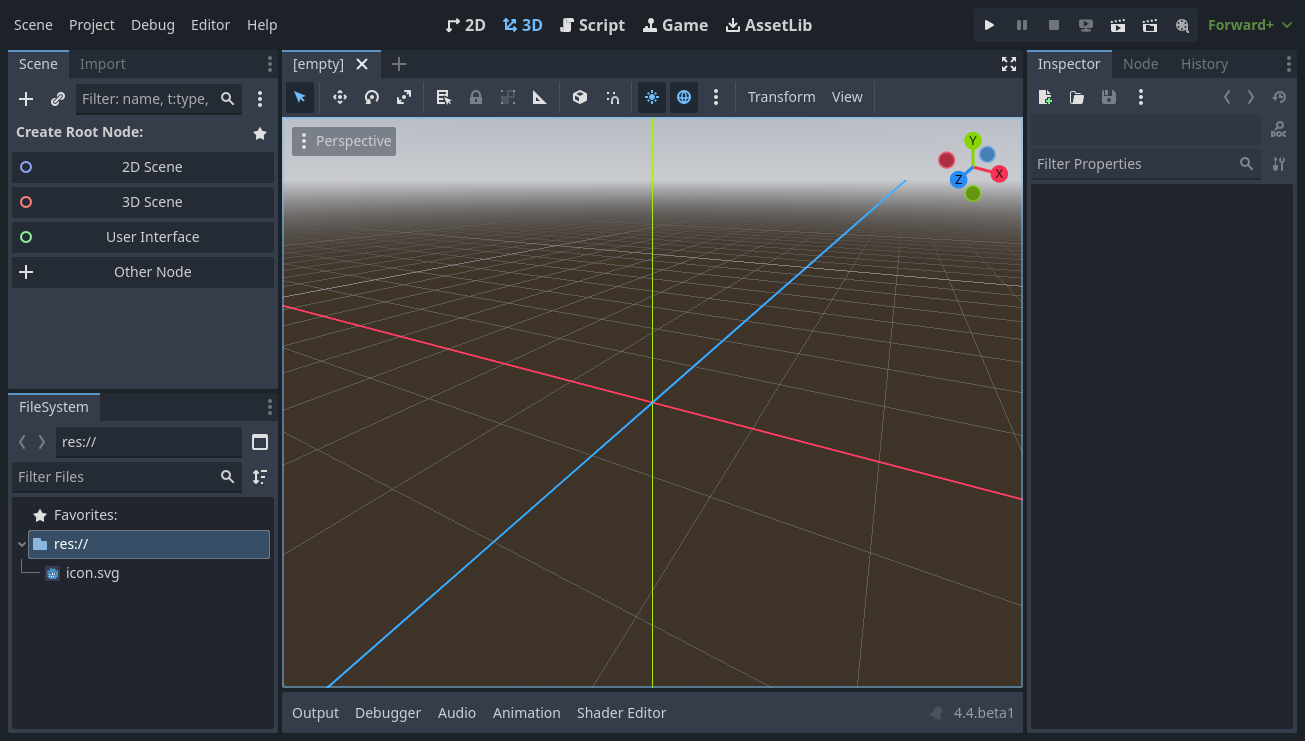
Godot Engine is one route from playable prototype to a PC build. Export early and test the result on another machine; a project that runs inside the editor is not yet proof that the release package works.
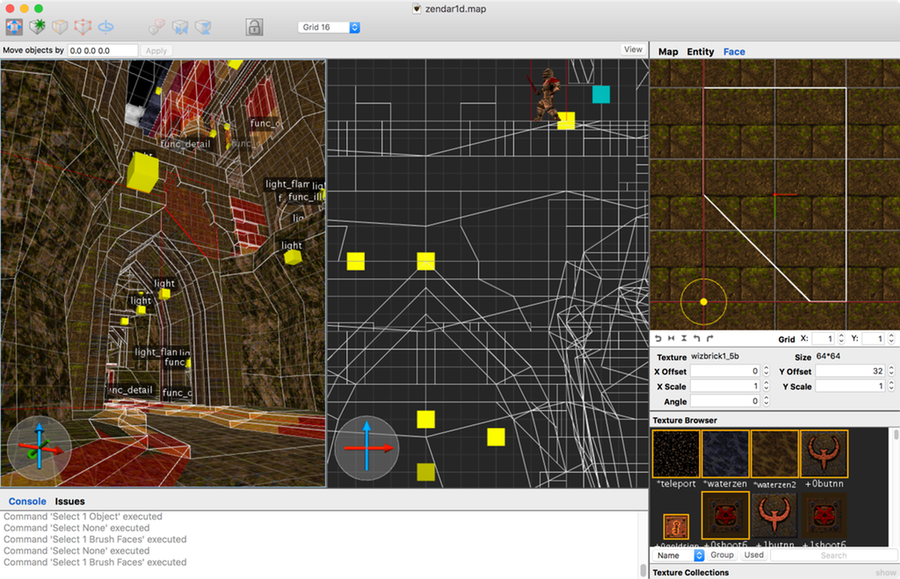
For a retro FPS, TrenchBroom gives you a focused place to build and inspect levels. A clear screenshot of a real map tells prospective players more than another generic sci-fi banner.
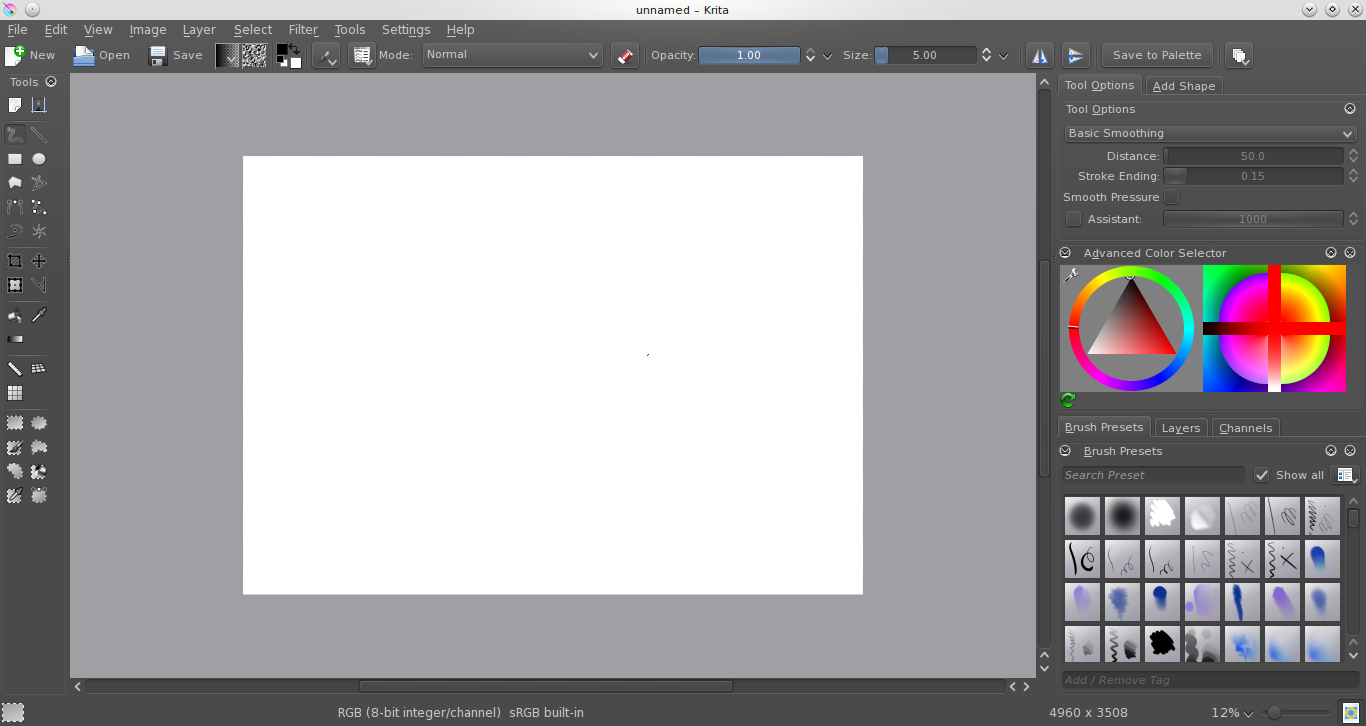
Krita can help prepare cover art, readable thumbnails and image crops. Keep gameplay screenshots honest. A polished store page should make the game easier to recognize, not make it look like a different game.
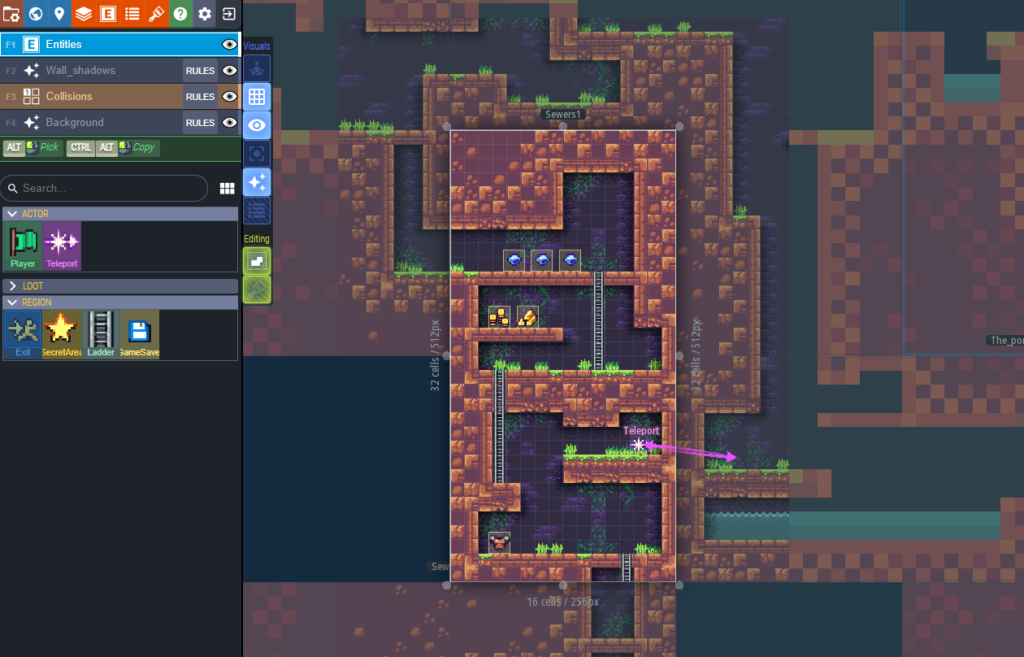
If your game is built around 2D worlds, LDtk helps organize levels before you choose the best moments to show. The free game-development tools guide covers more options, and the screenshot and trailer checklist turns the finished work into a useful store asset kit.
Look at Shrine II beside Project: AMICA's 2024 demo: one listing is a released game, the other clearly says it is an older demo. That distinction matters wherever you publish. For the wider process, follow the indie game toolchain from prototype to players.
A practical indie game publishing checklist
Before opening the store dashboards, prepare a release package that can be reused without making every listing identical.
1. Confirm that you have the right to publish everything
Document ownership or licenses for the game code, engine, fonts, music, sound effects, character art, logos, screenshots, trailer footage, and third-party tools. Open-source components still have licenses and notice requirements. Generative tools may have additional terms. If a contributor worked without a written agreement, resolve that before money is involved.
2. Build a release candidate, not only a development build
Test installation, first launch, saving, updates, uninstall behavior, controller input, keyboard input, display settings, minimum hardware, and the clean-machine experience. Scan the package and make sure the executable and installer names are understandable. Keep a version number and checksum for the exact build sent to each platform.
3. Prepare a store asset kit
Create a readable logo, cover image, wide banner, seven strong gameplay screenshots, a short trailer, a one-sentence hook, a short description, a full description, system requirements, content notices, accessibility notes, support contact, privacy information, and links. Show real gameplay early. Do not make a player study cinematic art to learn what the game is.
4. Decide pricing and release status
Choose free, paid, pay-what-you-want, demo, early access, or coming soon deliberately. Check whether prices, discounts, keys, and launch timing must remain consistent under the agreements you accept. Do not describe a game as finished if it still needs substantial work.
5. Complete identity, tax, and payout setup
Paid storefronts must know who is selling the game and where funds should go. Use accurate legal information and an account name that matches the relevant documents. On NeonRoof, begin with developer onboarding and complete secure developer payout setup before enabling paid checkout.
6. Plan support before release day
Give players a support email or form, known-issues page, refund information, and a way to report a broken download. Decide who responds if the game fails to start. A small team can be honest about response time without leaving buyers uncertain.
What to do after your indie game is finished
Finishing the build is the beginning of release work. A simple sequence is easier to execute than an enormous launch checklist.
- Create the official game page. Establish the canonical name, description, logo, screenshots, trailer, and contact information.
- Open the Steam coming-soon page early enough. Use it to gather wishlists and learn which message earns attention.
- Publish the itch.io page or demo. Let players try, follow, download, or support the project in the format that fits it.
- Create the NeonRoof game and studio presence. Start at the developer publishing center or ask NeonRoof to publish the game for you.
- Pitch the story, not only the product. A new mechanic, unusual engine choice, accessibility work, development lesson, major update, or community story can be more interesting than “our game is available.” Use the Submit Your Game for NeonRoof News form for editorial consideration.
- Link the authorized pages together. Help players and search engines understand that the storefronts, studio, articles, and community accounts describe the same project.
- Keep updating the pages. Replace old screenshots, correct requirements, post important patches, and keep support links working.
How developers can make an indie game easier to find
Players who already know the title can search for it directly. The difficult audience is the person who would love the game but has never heard its name.
That player might search for “co-op space game for PC,” “indie horror game with no jump scares,” “turn-based strategy game for low-end laptop,” or “free arena shooter with bots.” Useful pages answer those searches naturally. They do not repeat the same keyword thirty times.
The article Indie Game Developers Need More Ways to Get Discovered in 2026 explains why discovery needs several routes. The companion guide, How to Promote Your Indie Game for Free in 2026, covers practical promotion without pretending that free marketing requires no work.
On NeonRoof, genre and engine pages give developers a more focused starting point. Teams can use the guides for FPS games, RPGs, strategy games, horror games, multiplayer games, solo developers, Unity, Unreal Engine, Godot, and libGDX.
Common questions about publishing an indie game
Can I publish the same indie game on multiple stores?
Often, yes, and many developers do. The controlling documents are the agreements, exclusivity commitments, key rules, pricing obligations, licenses, and regional restrictions that apply to the game. Read every agreement you accept and do not promise rights you do not own.
Which platform is best for a first indie game?
For a small experimental or game-jam title, itch.io can be the quickest fit. For a commercial PC launch, Steam is frequently central. NeonRoof can add another searchable storefront, studio page, launcher listing, and editorial path. The best answer depends on the game, but the platforms can be complementary.
Do I need a publisher?
Not necessarily. A publisher can provide funding, production, localization, quality assurance, marketing, platform relationships, and operational support, but those benefits must justify the rights and revenue being exchanged. A developer can self-publish when the team can handle the build, business, support, and promotion work.
What if the publishing dashboard is too complicated?
Use NeonRoof publishing help for a technical problem, or free assisted publishing if you want NeonRoof to assemble the listing from the build and media package. The goal is to keep a dashboard problem from becoming a release problem.
Will publishing on more stores guarantee sales?
No. No legitimate platform can guarantee sales, ranking, press, or inclusion in an AI-generated search answer. Additional high-quality pages create more opportunities to be discovered, but the game, presentation, audience, reviews, links, demand, and ongoing work still matter.
A practical next step for indie developers
Before choosing another publishing channel, prepare a reproducible build and a player-focused store page. Compare the description, media, support details and release timing against the materials you already use on other stores.
Check your description, artwork dimensions, sales assumptions and release timing with the free Indie Dev Tools hub. These checks help you prepare a clearer launch; they do not predict search rankings or guarantee sales.
More NeonRoof guides for indie developers
Continue with the guide that matches the next problem:
- How to Publish Your Indie PC Game on NeonRoof in 2026
- Why Indie Developers Should Add NeonRoof to Their Game Launch Strategy
- Indie Game SEO in 2026
- How to Promote Your Indie Game for Free in 2026
- Why Indie Game Developers Need More Ways to Get Discovered
Publish where the right players can find you
Steam and itch.io have earned important places in independent PC game distribution. NeonRoof is building another. Your official website connects them to an identity you control.
The practical answer to “where should I publish my indie game?” is to stop treating distribution as a one-door decision. Pick the channels that fit the release, prepare excellent assets, complete the business requirements, make every page useful, and link the entire presence together.
When you are ready, create your NeonRoof developer account, start developer onboarding, or have NeonRoof publish the game for you at no charge.
Practical developer publishing library
Plan the release with the complete 90-day indie launch checklist and prepare outreach with How to Make an Indie Game Press Kit Journalists Can Actually Use.
Turn discovery into a sustainable process
Connect content, community, demos, and measurement with How to Market an Indie Game Organically in 2026.
Related guide for players and developers
Learn how to find hidden-gem indie games before they get popular and which discovery signals help players find new projects.
Free tools for building and publishing an indie game
Continue with the NeonRoof software collection to turn an idea into game assets, marketing material, and a public game page ready for players.
- Best Free Game Development Software for Indie Developers in 2026
- Indie Game Art and Trailer Workflow With Blender, GIMP, and HandBrake
- The Indie Game Development Toolchain: From Prototype to Players
Related practical guides for indie developers
If you want NeonRoof to prepare the listing, gather your build, media and verification with this submission guide: What to Send NeonRoof for Free Assisted Indie Game Publishing.
No comments yet. Start the conversation with a useful, on-topic response.